Set Up A Control Repository
Step Goals
At the end of this part you will be able to:
- create and enable Users for SysEleven Code,
- configure the settings on SysEleven Code for Multi-Staging Pipelines,
- create a control repository in the style of our Best Practice.
Control Repository
The control repository (or repository) is the Git repository that holds the code for the CI/CD Pipeline that manages the infrastructure in your environments.
Short Introduction On GitLab's Groups And Subgroups
The concept of GitLab groups and subgroups offers user and group related flexibility on your deployment pipelines.
If you like to get more information on that topic, please refer to the GitLab User/Groups/Subgroup description.
Introduction
To deploy Building Blocks to your cluster, you'll need a place where all configuration is stored. We use Git repositories for that purpose. This tutorial will show you how we recommend structuring a control repository - this is how we call the repositories that control the cluster state.
The tutorial focuses on the creation of a control repository on SysEleven Code(or other GitLab instances). All steps taken that are specific to GitLab should be easily adaptable to other CI solutions, too.
Enabling Login
Please refer to Cluster Authentication and create a Login Realm.
For the impatient : To get a login realm please contact our support
After your first Login to our GitLab Instance wait for your permissions to be granted.
Recommended Quick Setup With Mkactl
We recommend a quick control repository setup with the mkactl command-line utility.
Prerequisites
You need access to our GitLab Instance. After you provisioned your GitLab control repository, you can directly deploy your first building block. It helps if you login into your GitLab instance upfront.
This command opens a browser window with your GitLab Instance. You should now create your personal access token.
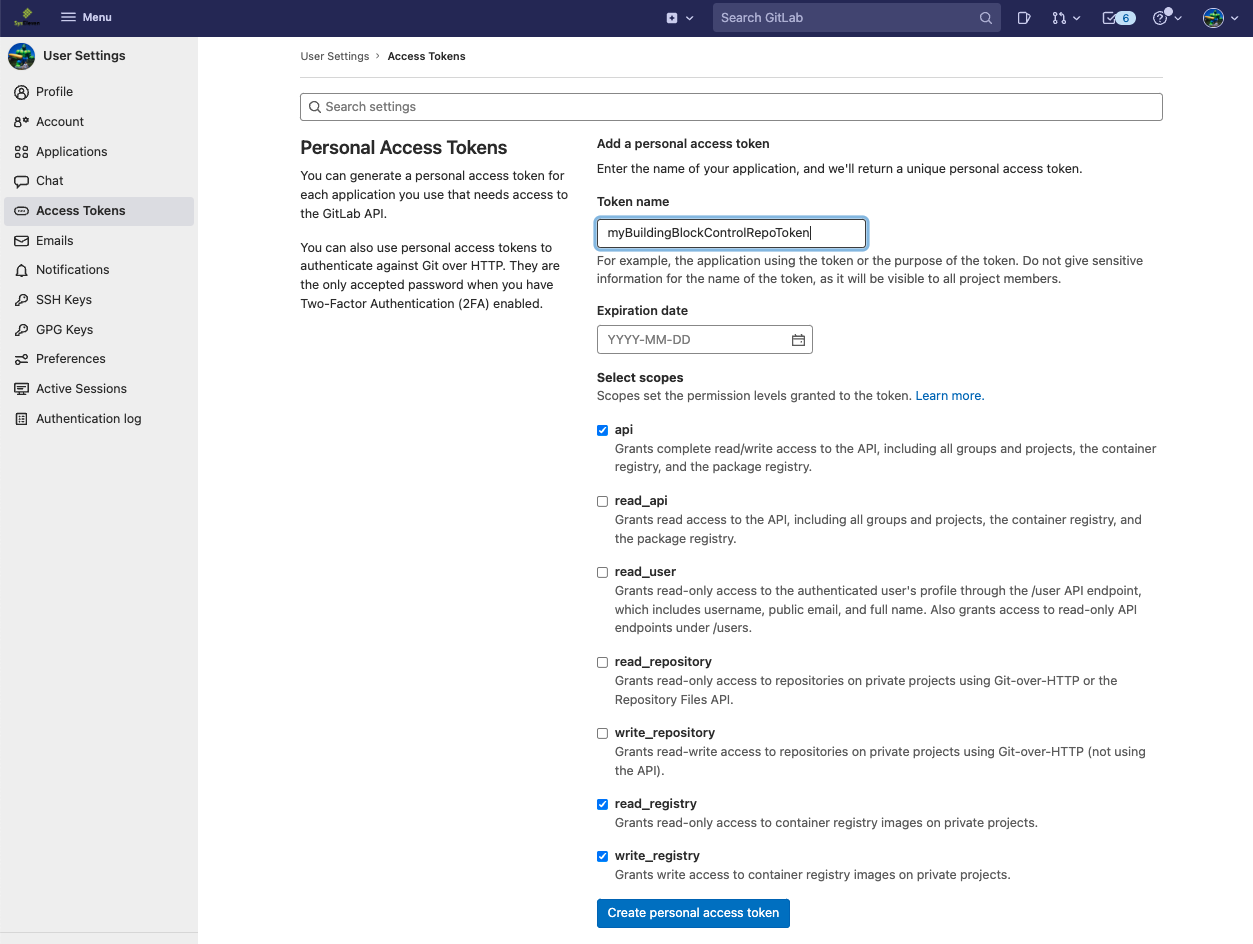
Once you created it, copy the generated access token from the website to your clipboard and paste it in the console in the appropriate prompt of the mkactl config add-account.

Now you are connected to GitLab and you can proceed with the next step to create a control repository on your GitLab instance.
The groupId can be retrieved from the GitLab WebUI here 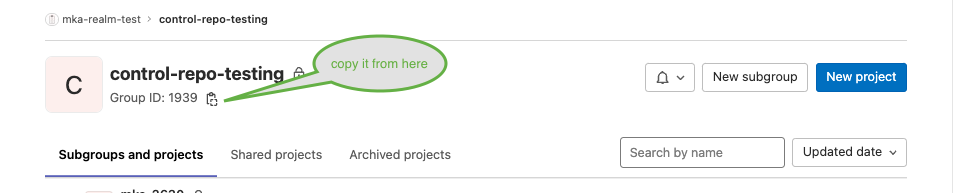
Now you can set up your repository and can proceed with setting up your environment with your favorite building blocks.
Project Creation And Settings
If you cannot install mkactl on your workstation, you can proceed with the following description to set up your control repository.
On Code SysEleven, create a new project in your namespace, for example customer/myproject.
Please hold your prepared kubeconfig from the last step ready, which you want to use for the pipeline tasks. There are two things to change in the repository settings (left menubar):
- Disable the option „Prevent outdated deployment jobs“ in Settings → CI / CD → General Pipelines in case it is set to active.
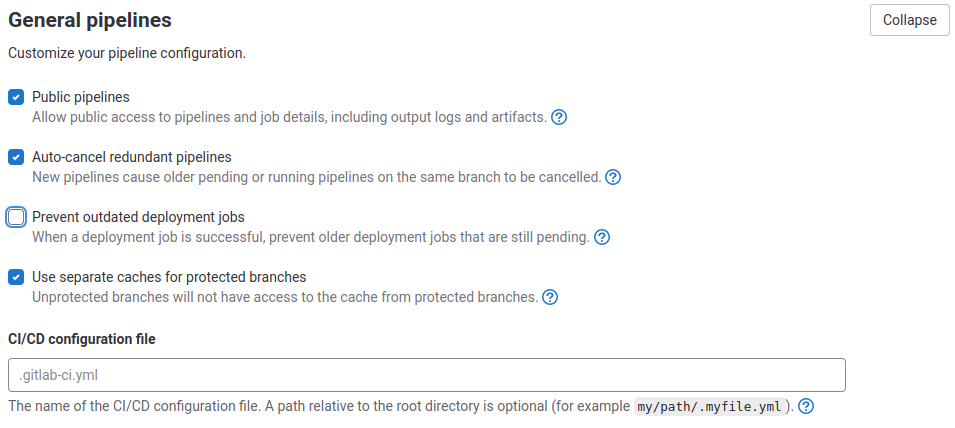
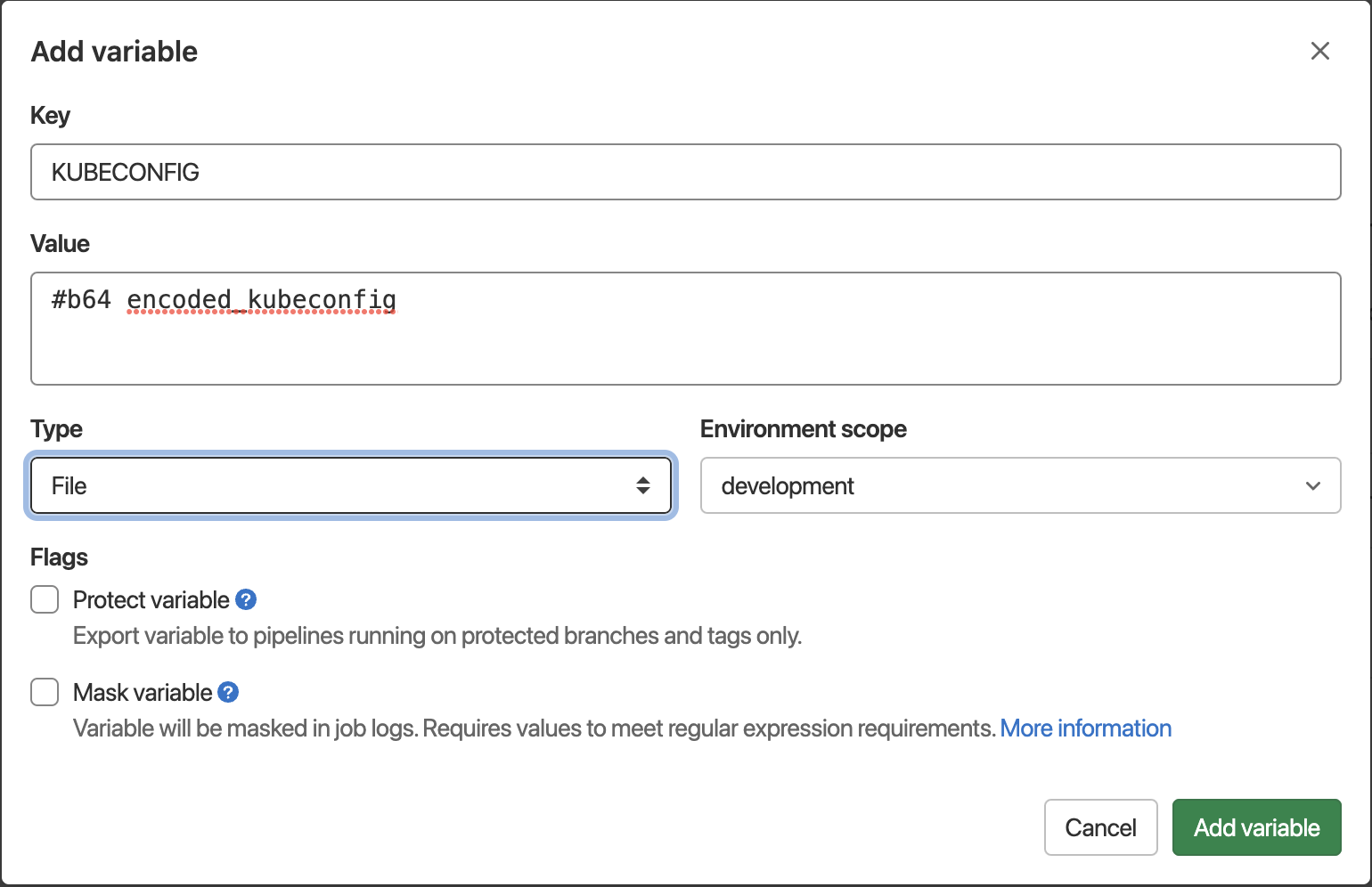
- Add the KUBECONFIG files for your cluster(s) in Settings → CI / CD → Variables (see picture underneath)
- As Key, set
KUBECONFIG - As Value, paste your base64 encoded KUBECONFIG file. This can for example be the Admin config you can download from the MetaKube dashboard
- As Type, set
File - As Environment Scope, set the environment the KUBECONFIG is for, for example
developmentif it is the config for your development cluster. If you use one cluster for all environments, we recommend to useproduction.
File Structure
You will need only a .gitlab-ci.yml file in your control repository. All other files will be added when deploying Building Blocks.
The Building Blocks need a two stage definitions to work. The diff stage is for testing and validation tasks, where deploy takes care of the continuous deployment.
Copy the following to your .gitlab-ci.yml and you're ready to deploy your first Building Block!
Next Steps
We recommend a parted structure when using a control repository. This means your root folder / will be populated with a file called .gitlab-ci.yml for global CI/CD definitions. While all your Building Blocks and software will be handled in modules inside their own folder hierarchy. A possible structure could be:
/
└── syseleven-kube-prometheus-stack/
    ├── .gitlab-ci.yml
    ├── values-redis-ha-production.yaml
    ├── values-redis-ha-staging.yaml
    ├── values-redis-ha-development.yaml
    └── values-redis-ha.yaml
└── syseleven-redis-ha/
    ├── .gitlab-ci.yml
    └── ...
└── syseleven-ingress/
    ├── .gitlab-ci.yml
    └── ...
└── your_own_app_folder/
    ├── .gitlab-ci.yml
    └── ...
.gitlab-ci.yml