Support
Expert Support Available
Our mission is to ensure that you are successful and satisfied with our products and services - even in the event of a service interruption. We offer you fast and professional assistance and won't let you down.
Support Process
In order to enable an employee to request support, you must first add them as a tech contact to your organization via the Dashboard. People who are not added as a tech contact for your organization will not be able to request support.
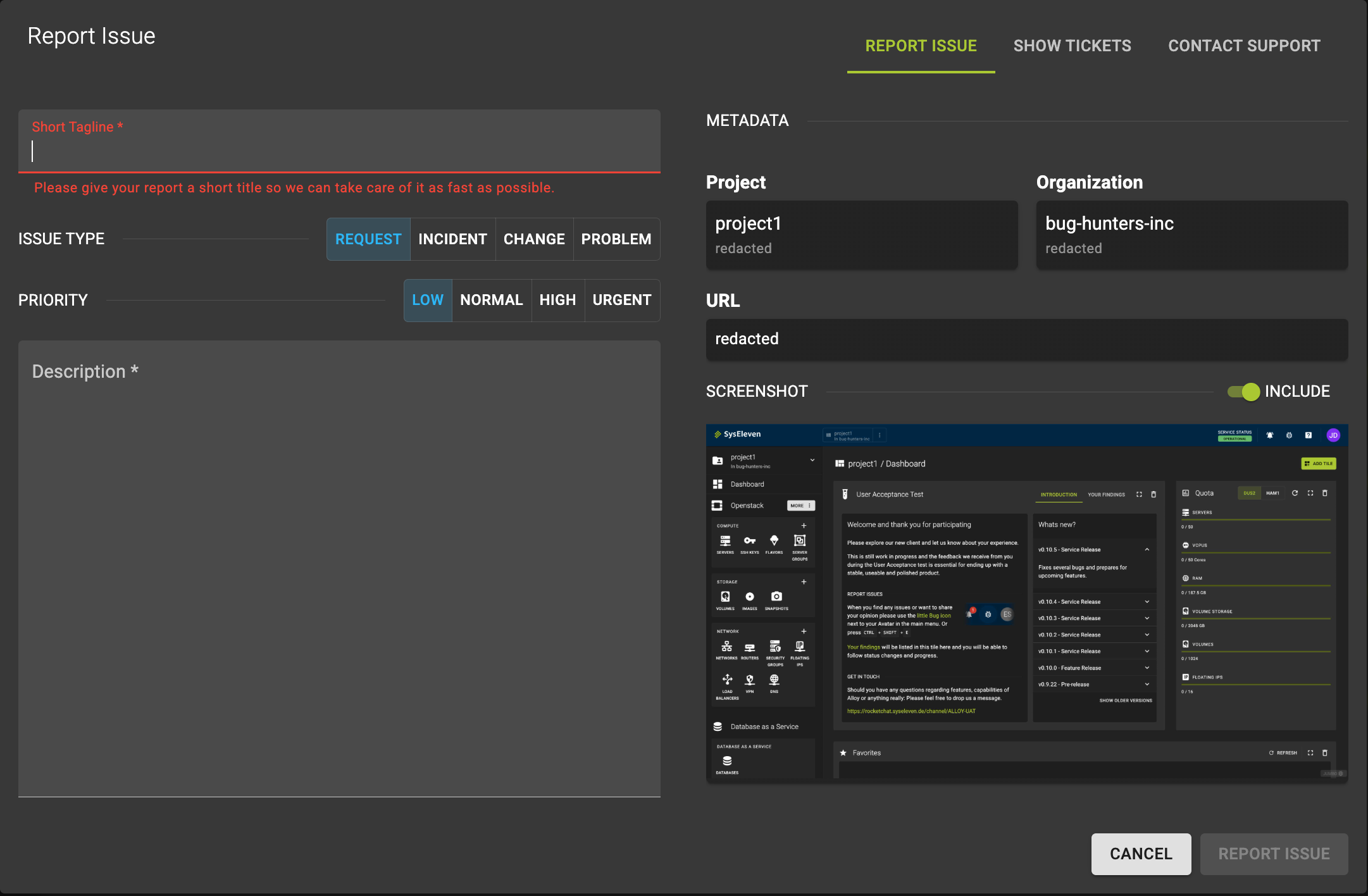
Open a ticket via the Dashboard
You can open a ticket via the Dashboard by clicking the button in the top right corner.

You can then submit a ticket and describe your issue, as well as see the status of your tickets.
Reach Us via Email or Phone
| Phone |
+49 30 233 2012 30
(09:00 - 17:00 CE(S)T on weekdays except public holidays in Berlin)
+49 30 609 89 22 11
(Emergencies outside of regular service hours)
|
| Helpdesk | https://helpdesk.syseleven.de |
| support@syseleven.de |
Check Service Status
Real-Time Service Status
You can check the current status of our services at our Status Page. This page provides real-time updates on the operational status of our systems and any ongoing incidents.
Expedite Your Support Request
Create your request right away in our Service Portal and we are happy in taking care of it.
To help us assist you more efficiently, please be as detailed as possible so that we can start working on it right away finding the best solution for you as quickly as possible. To achieve this, we would like to give you a guideline you can use to ensure that your ticket gives us the best possible start by taking the following aspects into account:
- Add as much details as possible with a descriptive summary of your issue
- Everything starts with what is affected, like your IAM Organization name or ID, same for the corresponding project
- UUID's of items in question are as well very important to us.
- Logs are awesome! If allowed please add them to your summary
- Your monitoring provides metrics? We love metrics and are more than happy to review
- Timestamps, dates and zones are very helpful as well
- You can create a screenshot? Please share it with us
- Share your scripts, snippets, helm-charts, tf-files with us - we want to understand and solve with you
You don't find the time or struggle in providing everything? No worries as it's optional. We will help and solve with you anyways!
We're committed to resolving your issues and answering your questions promptly. Don't hesitate to reach out – we're here to ensure your experience with our Cloud is smooth and successful.