SysEleven OpenStack Cloud - VPNaas - VPN Services 95%
Concepts
The VPN service object in OpenStack sets up a secure communication service that connects different parts of a network. It integrates with a specific router and subnet to provide encrypted and secure data transmission between network locations.
List VPN Services
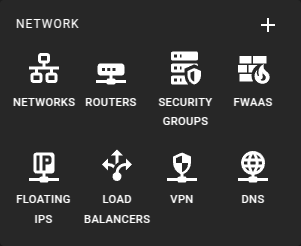 To get a list of the VPN Services in a region you can click on the VPN icon in the sidebar.
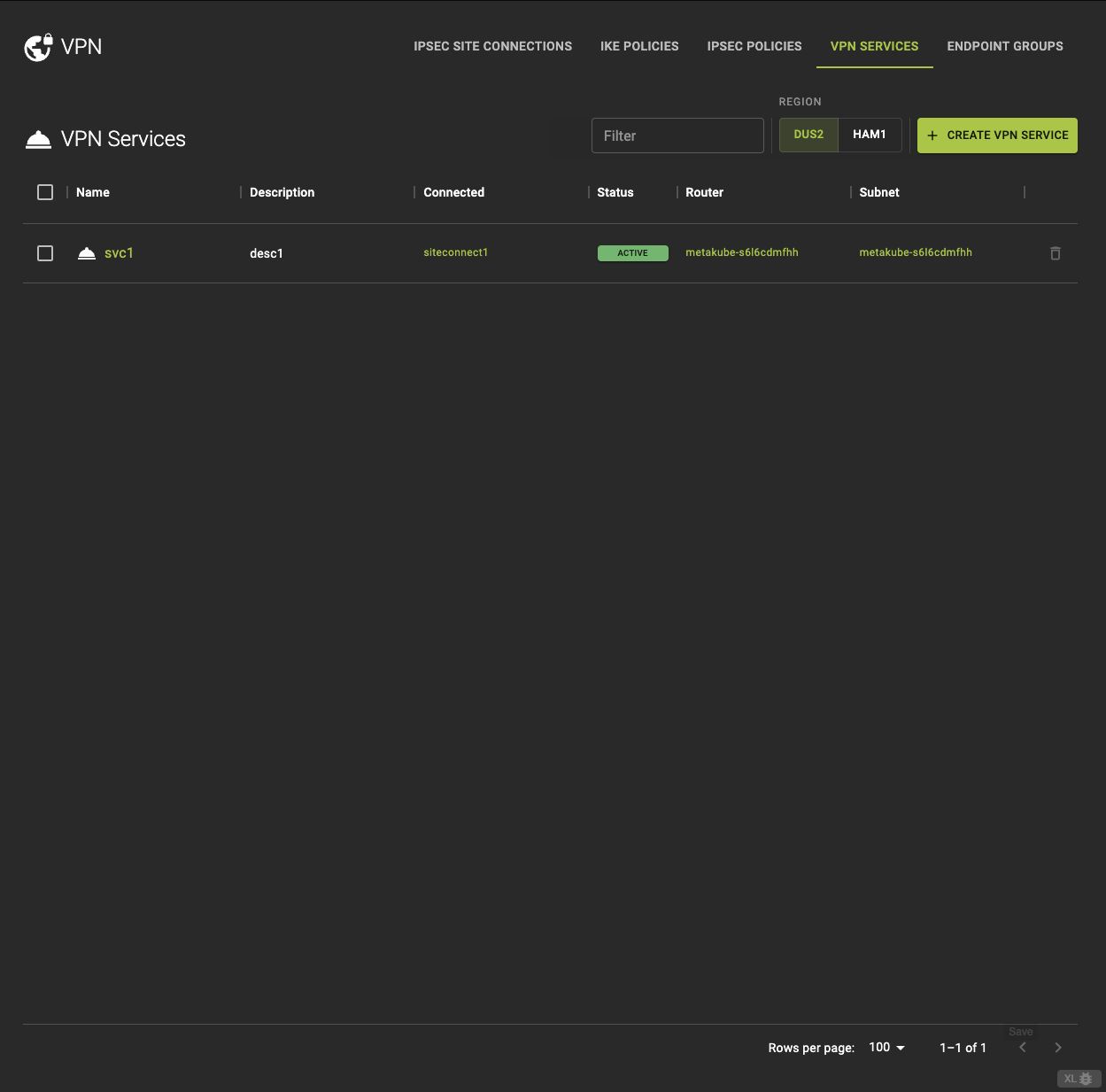 From the VPN Services tab, you can
- View detailed information by clicking on the name or ID in the list.
- Direct links to the associated
- See the status of the VPN service.
- Delete a VPN Service.
Usage
openstack vpn service list
Output
+--------------------------------------+------------------------+--------------------------------------+--------------------------------------+---------+--------+--------+
| ID                                   | Name                   | Router                               | Subnet                               | Flavor  | State  | Status |
+--------------------------------------+------------------------+--------------------------------------+--------------------------------------+---------+--------+--------+
| 2f9d9d57-0b7a-41ea-bb50-5d7b2d4c9a5f | my-vpn-service         | 7d6135b1-e1f0-43d4-93eb-6c6cf35b3fb1 | f4c7d0e7-b4e5-4bcd-2b9a1d5e5ea       | None    | True   | ACTIVE |
| 1a2b3c4d-5e6f-7g8h-9i0j-k1l2m3n4o5p6 | test-vpn               | 56ab5cf1-8cb9-4e2e-8a39-2db5d1b3a1c1 | 12345abc-def6-7gh89-0i1j2k3l4m       | None    | True   | DOWN   |
+--------------------------------------+------------------------+--------------------------------------+--------------------------------------+---------+--------+--------+
Create A VPN Service
Info
Local subnets and endpoint groups
There are two ways to configure local and peer subnets: (1) Endpoint groups for both local subnet(s) and for peer CIDR(s) and (2) one local subnet ID in VPN service and one peer CIDR in IPSec site connection.
The preferred way is (1) using endpoint groups. This allows to set potentially multiple local and peer subnets per site connection. Please be aware that the endpoint groups concept cannot be mixed with the (older) approach where the local subnet ID is set in the VPN service configuration. If you use endpoint groups you have to use the concept for both local subnets and peer CIDRs and you must not set the (local) subnet ID in the VPN service. Otherwise creating the IPSec site connection will be rejected.
One common mistake is to set the local subnet ID in the VPN service and try to create an IPSec site connection with local and peer endpoint groups (and no peer CIDR) which is rejected with "Missing peer CIDRs for IPsec site-to-site connection".
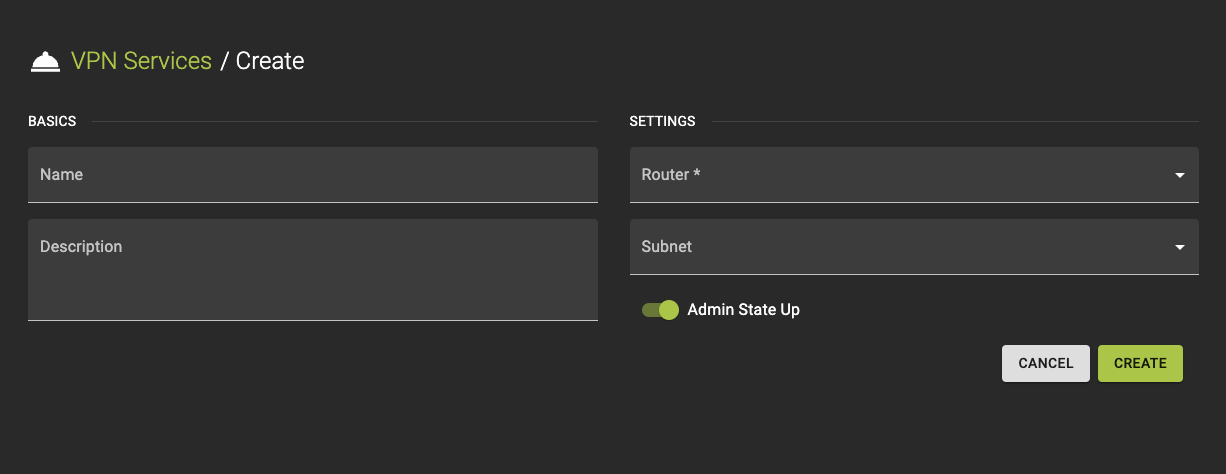 To create a new VPN Service, click the Create VPN Service option in the VPN Service tab.
- Provide a name and a description.
-
Configure Settings
- Specify the router that will manage the VPN service. This router directs the VPN traffic.
- Choose the subnet where the VPN service will be applied. This is the network segment associated with the VPN. (Caution: Must not be specified here if your local subnets are defined as endpoint groups and referenced in the IPsec site connection, which is the preferred way!)
-
Review your settings and click create to finalize the service setup.
Usage
openstack vpn service create
    [--description <description>]
    [--subnet <subnet>]
    [--flavor <flavor>]
    [--enable | --disable]
    --router ROUTER
    <name>
--description- Description for the VPN service
--subnet- Local private subnet (name or ID)
--flavor- Flavor for the VPN service (name or ID)
--enable- Enable VPN service
--disable- Disable VPN service
--router ROUTER- Router for the VPN service (name or ID)
<name>- Name for the VPN service
Inspect and modify a VPN Service
Info
You cannot update a VPN service while it is attached to an active IPsec site connection. To modify the VPN service, first detach it from all associated connections, make the necessary changes, and then reattach it. This process prevents disruption to ongoing VPN operations.
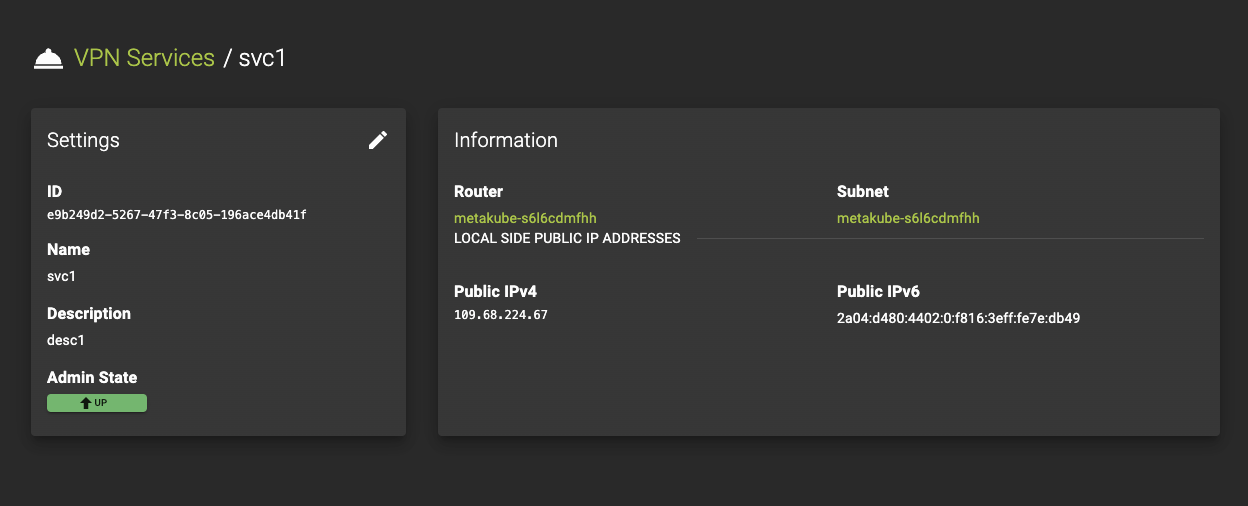 To view the details of a VPN Service, select an entry from the VPN Services list.
On the details page, you can:
Usage
openstack vpn service set
    [--description <description>]
    [--subnet <subnet>]
    [--flavor <flavor>]
    [--enable | --disable]
    [--name <name>]
    <vpn-service>
--description- Description for the VPN service
--subnet- Local private subnet (name or ID)
--flavor- Flavor for the VPN service (name or ID)
- `--enable
- Enable VPN service
- `--disable
- Disable VPN service
--name- Name for the VPN service
<vpn-service>- VPN service to modify (name or ID)
Delete VPN Service
Prerequisites
You cannot delete a VPN service while it is attached to an active IPsec site connection. To delete the VPN service, first detach it from all associated connections. This ensures that active VPN operations are not disrupted.
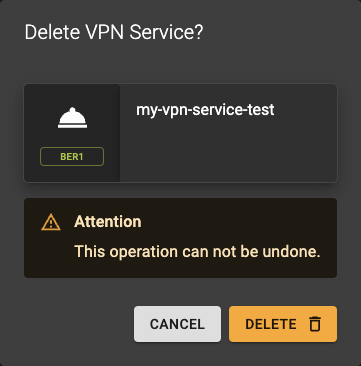 To delete a service, go to the VPN Services list and click the action button.
A confirmation prompt will appear to confirm the deletion.
Usage
openstack vpn service delete <vpn-service> [<vpn-service> ...]
<vpn-service>- VPN service to delete (name or ID)
- Also takes a list of identifiers or names for bulk deletion