SysEleven OpenStack Cloud - VPNaaS - IPSec Policies 95%
Concepts
Internet Protocol Security (IPSec) policies define the security parameters for Phase 2 of the IKE negotiation. In this phase, the VPN and peer device use the security association established during Phase 1 to negotiate which traffic to send and how to authenticate and encrypt that traffic.
List IPSec Policies
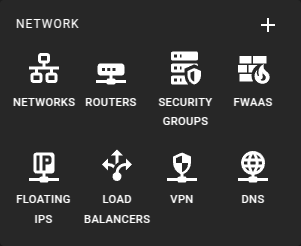 To get a list of the IPsec Policies in a region you can click on the VPN icon in the sidebar.
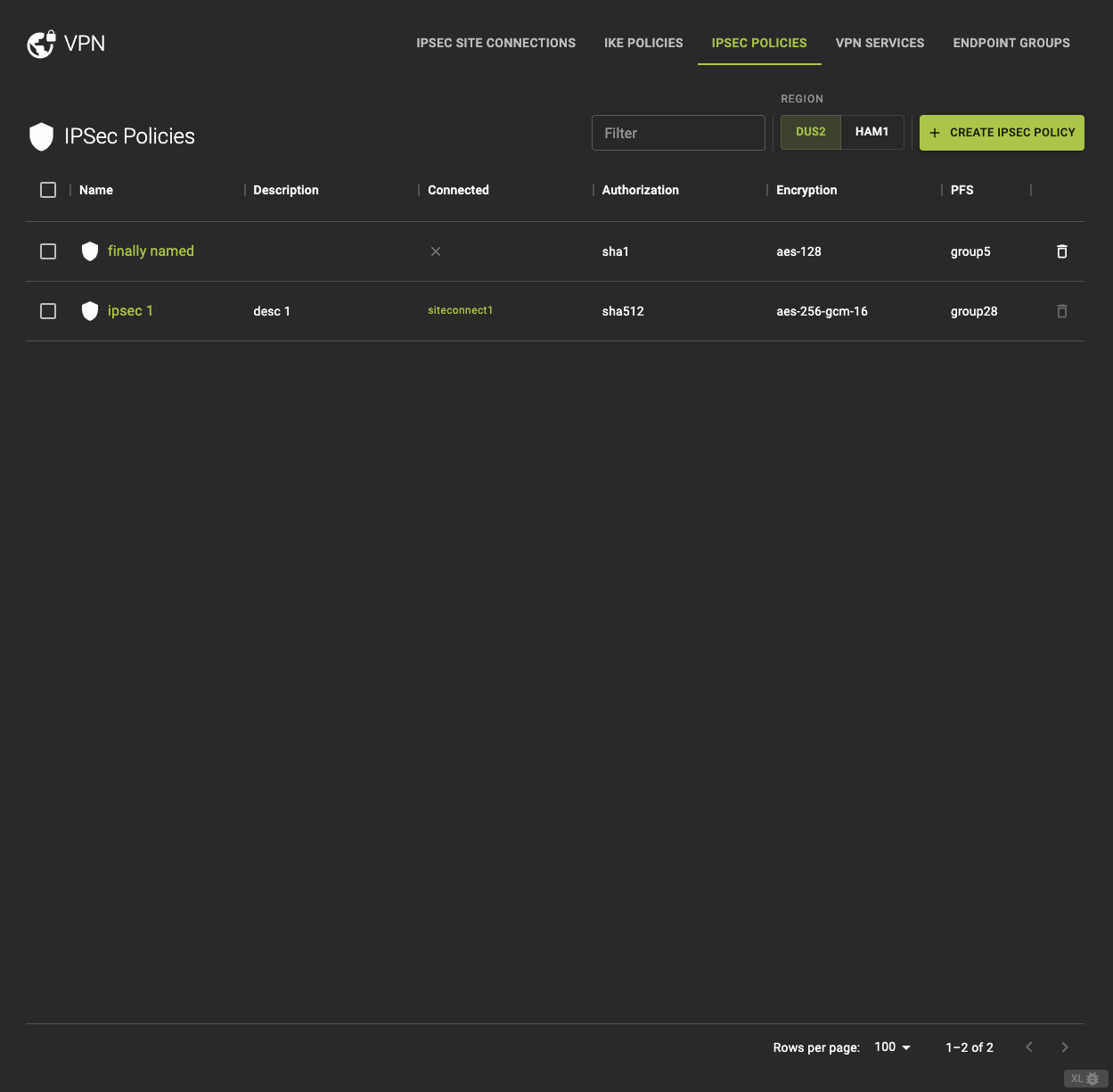 From the IPsec Policies tab, you can
- View detailed information by clicking on the name or ID in the list.
- Direct access to the IPsec connection linked to the policy.
- Delete a IPSec Policy.
Usage
openstack vpn ipsec policy list
Output
+--------------------------------------+-----------------+---------------------------+---------------------+--------------------+-----------------------+
| ID                                   | Name            | Authentication Algorithm  | Encapsulation Mode  | Transform Protocol | Encryption Algorithm  |
+--------------------------------------+-----------------+---------------------------+---------------------+--------------------+-----------------------+
| ab12cd34-5678-90ef-abcd-1234567890ab | ipsec-policy-1  | sha1                      | tunnel              | esp                | aes-128               |
| ef34gh56-7890-12ij-klmn-9876543210ef | ipsec-policy-2  | sha256                    | transport           | ah                 | aes-256               |
| 3456lm78-90no-12pq-rstu-1234567890vw | ipsec-policy-3  | sha512                    | tunnel              | esp                | 3des                  |
+--------------------------------------+-----------------+---------------------------+---------------------+--------------------+-----------------------+
Create an IPSec Policy
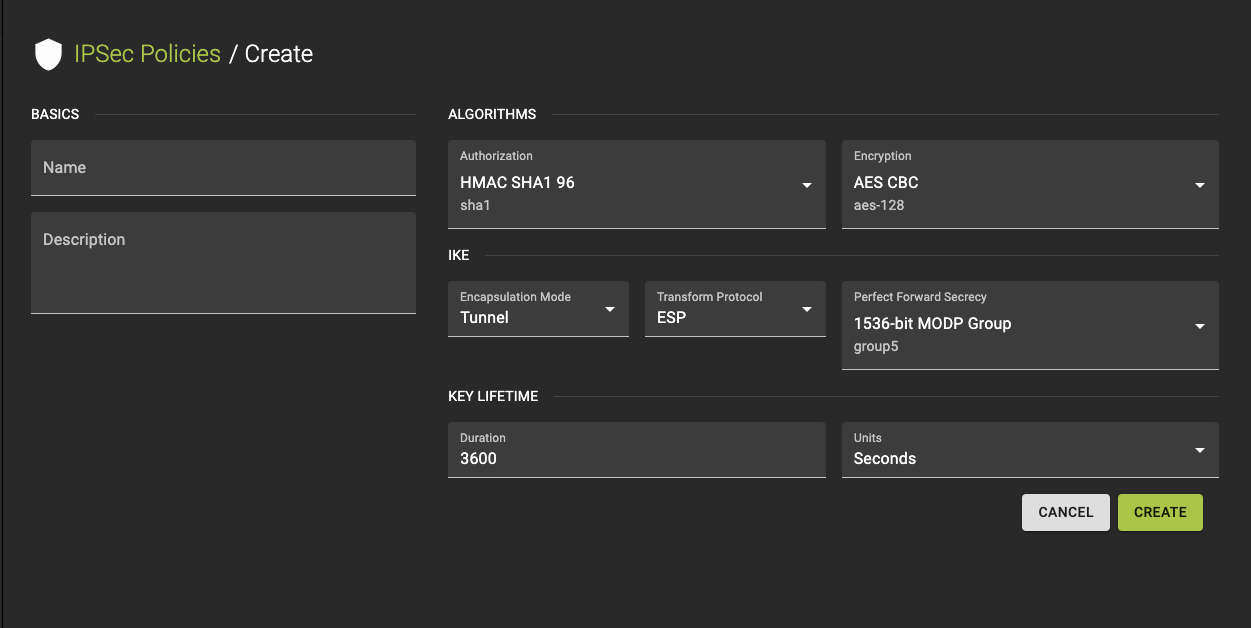 To create a new IPsec Policy, click the Create IPSec Policy option in the IPsec Policies tab.
- Provide a name and a description.
-
Configure Settings
- Choose the desired algorithm.
- Select the mode (either Tunnel or Transport) to define how traffic is encapsulated.
- Pick the encryption algorithm.
- Set the policy's lifetime by specifying the value.
- Choose the Perfect Forward Secrecy (PFS) group.
- Select the protocol to be used for data transformation.
-
Review your settings and click create to finalize the policy.
Usage
openstack vpn ipsec policy create
    [--description <description>]
    [--auth-algorithm {sha1,sha256,sha384,sha512}]
    [--encapsulation-mode {tunnel,transport}]
    [--encryption-algorithm {3des,aes-128,aes-192,aes-256}]
    [--lifetime units=UNITS,value=VALUE]
    [--pfs {group2,group5,group14}]
    [--transform-protocol {esp,ah,ah-esp}]
    <name>
--description <description>- Description of the IPsec policy
--auth-algorithm <AUTH_ALGORITHM>- Authentication algorithm for IPsec policy
--encapsulation-mode <ENCAPSULATION_MODE>- Encapsulation mode for IPsec policy
--encryption-algorithm <ENCRYPTION_ALGORITHM>- Encryption algorithm for IPsec policy
--lifetime units=UNITS,value=VALUE- IPsec lifetime attributes. ‘units’-seconds, default:seconds. ‘value’-non negative integer, default:3600.
--pfs <PFS>- Perfect Forward Secrecy for IPsec policy
--transform-protocol <TRANSFORM_PROTOCOL>- Transform protocol for IPsec policy
<name>- Name of the IPsec policy
Inspect and modify an IPSec Policy
Info
If you need to change the policy, you must first detach it from any associated IPsec site connections, then update the policy, and reattach it. This approach ensures that any changes to the policy do not disrupt the active VPN connections relying on it.
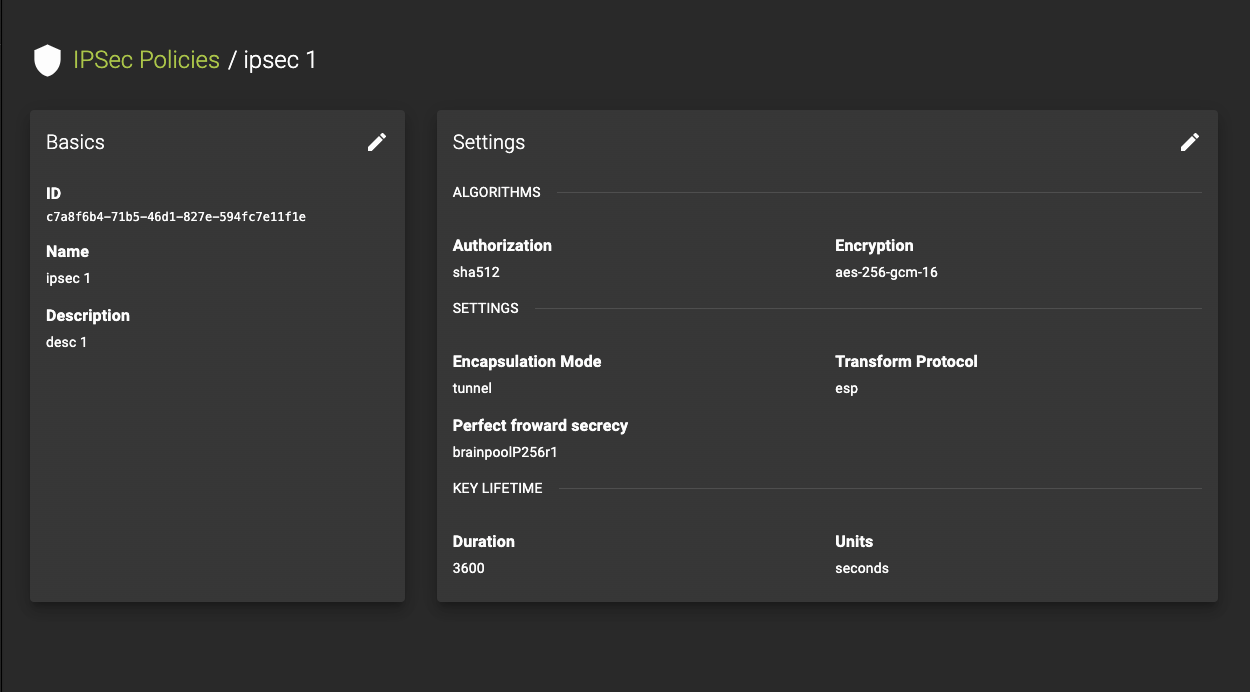 To view the details of an IPsec Policy, select an entry from the IPsec Policies list.
On the details page, you can:
- Inspect the current settings.
- Edit the policy by clicking the button. This will enable you to access and adjust the various configurable parameters.
Usage
openstack vpn ipsec policy set
    [--description <description>]
    [--auth-algorithm {sha1,sha256,sha384,sha512}]
    [--encapsulation-mode {tunnel,transport}]
    [--encryption-algorithm {3des,aes-128,aes-192,aes-256}]
    [--lifetime units=UNITS,value=VALUE]
    [--pfs {group2,group5,group14}]
    [--transform-protocol {esp,ah,ah-esp}]
    [--name <name>]
    <ipsec-policy>
--description <description>- Description of the IPsec policy
--auth-algorithm <AUTH_ALGORITHM>- Authentication algorithm for IPsec policy
--encapsulation-mode <ENCAPSULATION_MODE>- Encapsulation mode for IPsec policy
--encryption-algorithm <ENCRYPTION_ALGORITHM>- Encryption algorithm for IPsec policy
--lifetime units=UNITS,value=VALUE- IPsec lifetime attributes. ‘units’-seconds, default:seconds. ‘value’-non negative integer, default:3600.
--pfs <PFS>- Perfect Forward Secrecy for IPsec policy
--transform-protocol <TRANSFORM_PROTOCOL>- Transform protocol for IPsec policy
--name <name>- Name of the IPsec policy
<ipsec-policy>- IPsec policy to set (name or ID)
Delete IPSec Policy
Prerequisites
To delete an IPsec policy, you must first detach it from all associated IPsec site connections. Once the policy is no longer in use, you can proceed with the deletion. This ensures that the deletion does not interrupt any active VPN connections.
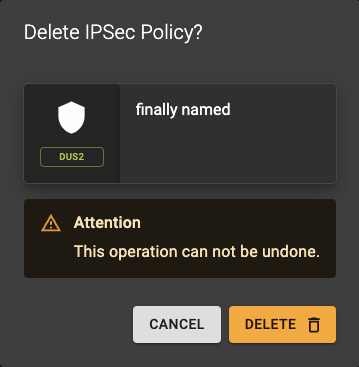 To delete a policy, go to the IPSec Policies list and click the action button.
A confirmation prompt will appear to confirm the deletion.
Usage
openstack vpn ipsec policy delete <ipsec-policy> [<ipsec-policy> ...]
<ipsec-policy>- ipsec policy to delete (name or ID)
- Also takes a list of identifiers or names for bulk deletion