SysEleven OpenStack Cloud - VPNaaS - IKE Policies 95%
Concepts
Internet Key Exchange (IKE) policies define the security parameters for Phase 1 of the IKE negotiation. During this phase, the VPN device and its peer exchange credentials and settings to authenticate each other and establish a secure channel. This channel is then used in Phase 2 to finalize the VPN connection. Custom IKE policies let you tailor these settings to fit your specific security needs.
List IKE Policies
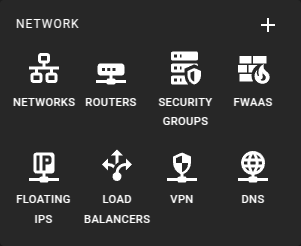 To get a list of the IKE Policies in a region you can click on the VPN icon in the sidebar.
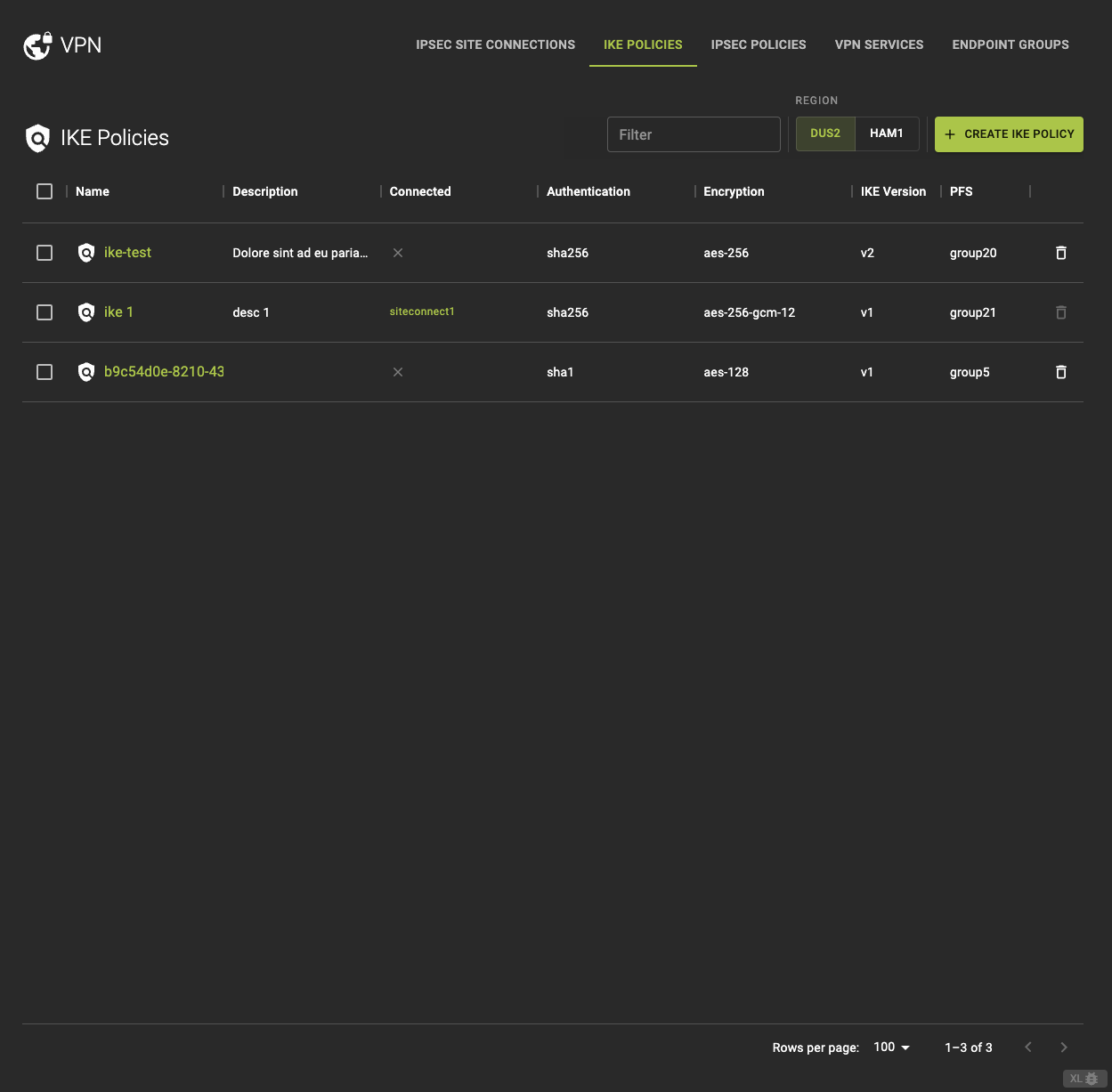 From the IKE POLICIES tab, you can
- Access detailed information by clicking on the name or ID in the list.
- Direct access to the IPsec connection associated with the policy.
- Delete a IKE Policy.
Usage
openstack vpn ike policy list
Output
+--------------------------------------+-----------------+---------------------------+-----------------------+-------------+------------------------------------+
| ID                                   | Name            | Authentication Algorithm  | Encryption Algorithm  | IKE Version | Perfect Forward Secrecy (PFS)      |
+--------------------------------------+-----------------+---------------------------+-----------------------+-------------+------------------------------------+
| 12d1f5de-4e67-49e2-9a6f-0fa9ed1b32cb | ike-policy-1    | sha1                      | aes-128               | v1          | group5                             |
| 7a9d8e3f-bbcd-4f15-b78a-24572e59e1cd | ike-policy-2    | sha256                    | aes-256               | v2          | group14                            |
+--------------------------------------+-----------------+---------------------------+-----------------------+-------------+------------------------------------+
Create A IKE Policy
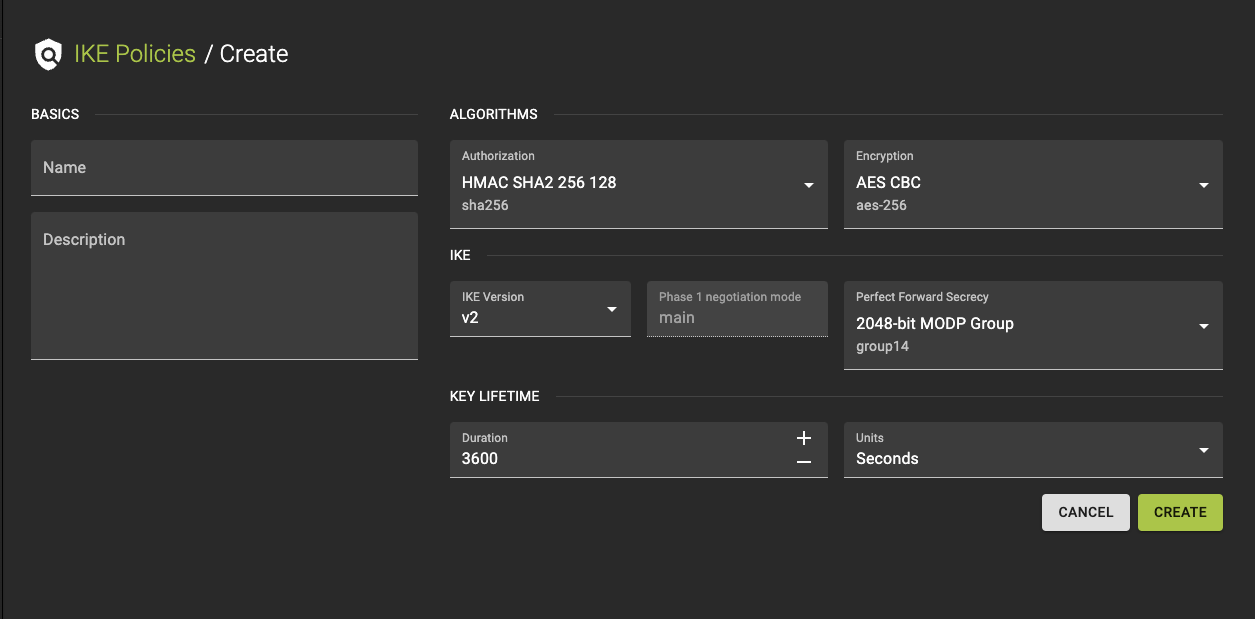 To create an IKE Policy, click the Create IKE Policy option in the IKE Policy tab.
- Provide a name and a description.
-
Configure Settings
- Choose the Authentication Algorithm.
- Select the Encryption Algorithm.
- Set the Phase 1 Negotiation Mode.
- Pick the IKE Version.
- Choose the PFS Group.
- Specify the Lifetime value.
-
Review your settings and click create to finalize the policy.
Usage
openstack vpn ike policy create
    [--description <description>]
    [--auth-algorithm {sha1,sha256,sha384,sha512}]
    [--encryption-algorithm {aes-128,3des,aes-192,aes-256}]
    [--phase1-negotiation-mode {main,aggressive}]
    [--ike-version {v1,v2}]
    [--pfs {group5,group2,group14}]
    [--lifetime units=UNITS,value=VALUE]
    <name>
--description <description>- Description of the IKE policy
--auth-algorithm <AUTH_ALGORITHM>- Authentication algorithm
--encryption-algorithm <ENCRYPTION_ALGORITHM>- Encryption algorithm
--phase1-negotiation-mode <PHASE1_NEGOTIATION_MODE>- IKE Phase1 negotiation mode
--ike-version <IKE_VERSION>- IKE version for the policy
--pfs <PFS>- Perfect Forward Secrecy
--lifetime units=UNITS,value=VALUE- IKE lifetime attributes. ‘units’-seconds, default:seconds. ‘value’-non negative integer, default:3600.
<name>- Name of the IKE policy
Inspect and modify a IKE Policy
Info
You cannot update an IKE policy while it is attached to an IPsec connection. To modify a policy, detach it first, then update or create a new one, and reattach it. Be aware that changes may affect ongoing VPN connections.
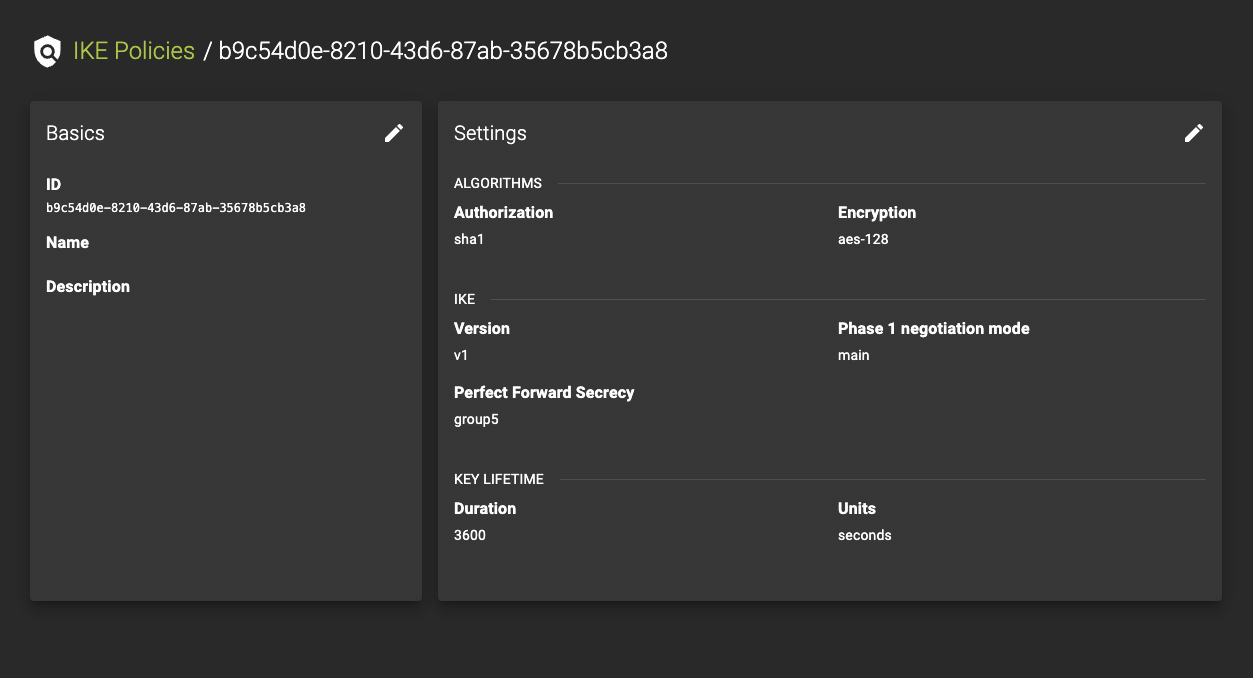 To access the details page of an IKE Policy, click on an entry in the IKE Policies list.
On the details page, you can:
- View the current settings.
- Modify the policy by clicking the button. This will allow you to access and update the list of modifiable parameters.
Usage
openstack vpn ike policy set
    [--description <description>]
    [--auth-algorithm {sha1,sha256,sha384,sha512}]
    [--encryption-algorithm {aes-128,3des,aes-192,aes-256}]
    [--phase1-negotiation-mode {main,aggressive}]
    [--ike-version {v1,v2}]
    [--pfs {group5,group2,group14}]
    [--lifetime units=UNITS,value=VALUE]
    [--name <name>]
    <ike-policy>
--description <description>- Description of the IKE policy
--auth-algorithm <AUTH_ALGORITHM>- Authentication algorithm
--encryption-algorithm <ENCRYPTION_ALGORITHM>- Encryption algorithm
--phase1-negotiation-mode <PHASE1_NEGOTIATION_MODE>- IKE Phase1 negotiation mode
--ike-version <IKE_VERSION>- IKE version for the policy
--pfs <PFS>- Perfect Forward Secrecy
--lifetime units=UNITS,value=VALUE- IKE lifetime attributes. ‘units’-seconds, default:seconds. ‘value’-non negative integer, default:3600.
--name <name>- Name of the IKE policy
<ike-policy>- IKE policy to set (name or ID)
Delete IKE Policy
Prerequisites
You cannot delete an IKE policy while it is attached to an IPsec site connection. First, detach the policy from all connections before proceeding with deletion to avoid disrupting your VPN service.
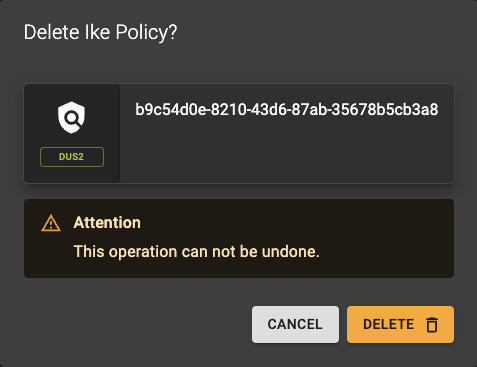 To delete a policy, go to the IKE Policies list and click the action button.
A confirmation prompt will appear to confirm the deletion.
Usage
openstack vpn ike policy delete <ike-policy> [<ike-policy> ...]
<ike-policy>- IKE policy to delete (name or ID)
- Also takes a list of identifiers or names for bulk deletion