Security Groups
Security groups in OpenStack are virtual firewalls that control inbound and outbound traffic for instances. Each security group has rules that define allowed traffic. By default, instances in the same security group can communicate with each other. Security groups help secure your cloud environment by ensuring that authorized traffic can reach your instances.
Note
Security Groups protect server ports. For protecting ports of routers, you can use Firewall Groups.
List Security Groups
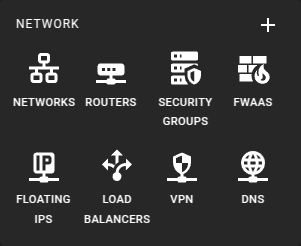 To get a list of all security groups in a region you can click on the
Security Groups icon in the sidebar.
To get a list of all security groups in a region you can click on the
Security Groups icon in the sidebar.
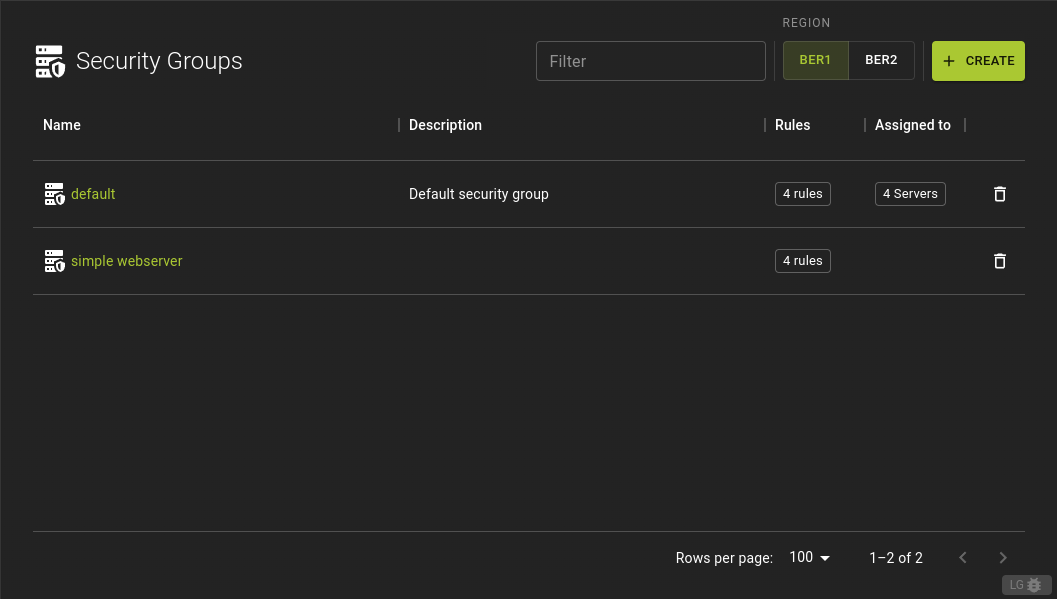 From the list of Security Groups you can
- Navigate to the details page by clicking on the name.
- Hover over table cells to quickly preview rules and instances, giving insight into the security group's rules and associations.
Usage
openstack security group list
Output
+--------------------------------------+---------+-------------+----------------------------------+------+
| ID                                   | Name    | Description | Project                          | Tags |
+--------------------------------------+---------+-------------+----------------------------------+------+
| 2dc8e8b7-4e65-490a-93c1-9dfaaae1b123 | default | Default     | 9b1f5d30a3f7416f9f0fb67a7e36270e | None |
| 7b69ddee-2c6b-40f9-9735-4b7e8d1b4d7a | web     | Web Servers | 9b1f5d30a3f7416f9f0fb67a7e36270e | None |
| 945e6c69-12d1-4a9a-b0a8-3bce7b7d8e8f | db      | Databases   | 9b1f5d30a3f7416f9f0fb67a7e36270e | None |
+--------------------------------------+---------+-------------+----------------------------------+------+
Create A Security Group
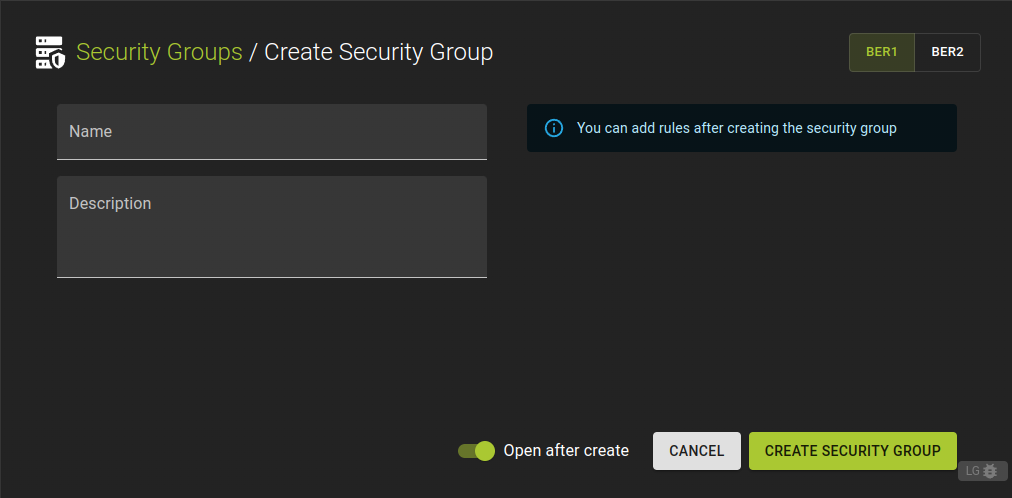 To define a new security group click the Create button
in the list of security groups.
To define a new security group click the Create button
in the list of security groups.
- Enter a name and an optional description.
- Click Create Security Group
After creating the security group, you can add rules to set up security policies from the details page.
Usage
openstack security group create
          [--description <description>]
          [--stateful | --stateless]
          [--tag <tag> | --no-tag]
          <name>
--description <description>- Security group description
--stateful- Security group is stateful (Default)
--stateless- Security group is stateless
--tag <tag>- Tag to be added to the security group (repeat option to set multiple tags)
--no-tag- No tags associated with the security group
<name>- New security group name
Example
# Terraform Provider configuration

terraform {
  required_providers {
    openstack = {
      source  = "terraform-provider-openstack/openstack"
    }
  }
}

# Security group configuration

resource "openstack_networking_secgroup_v2" "ssh_access_secgroup" {
  name        = "ssh_access_secgroup"
  description = "Security group for ssh access"
}
Inspect and modify a Security Group
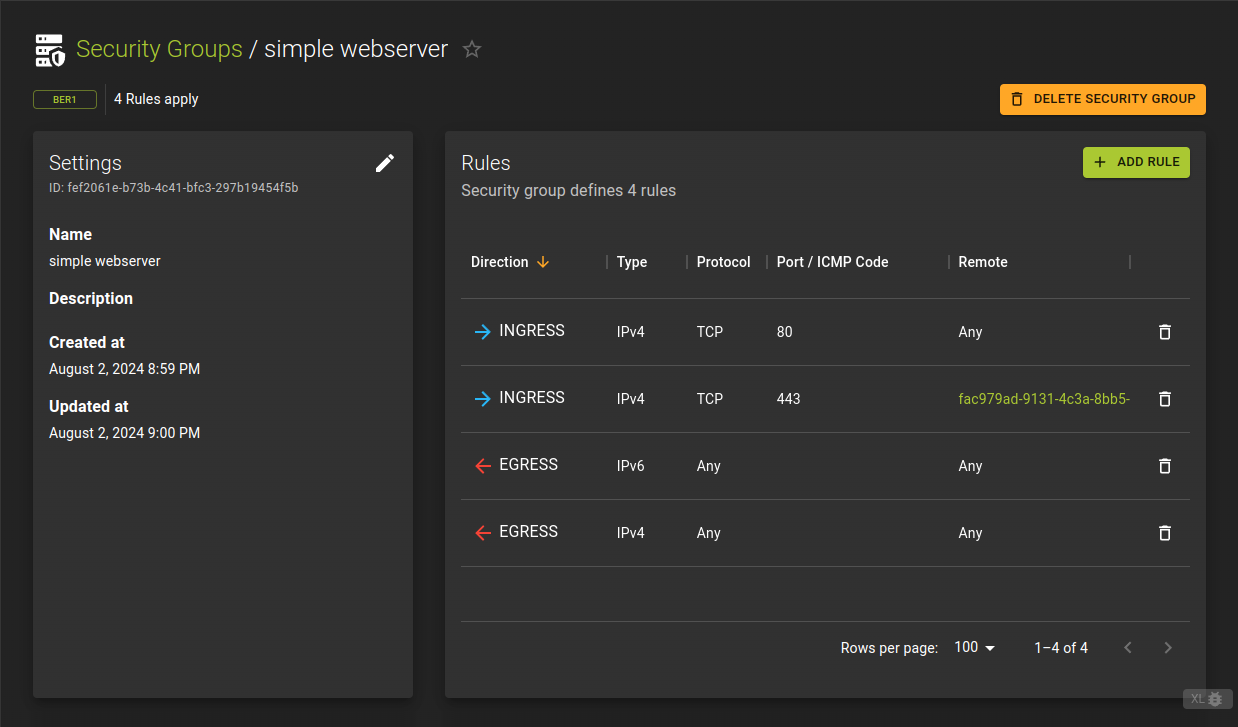 To view details of a security group, click its name or ID in the list view.
The details page displays the basic settings, including the name and description.
It also shows a list of rules that define the security policies for the group.
Usage
openstack security group show <group>
<group>- Security group to display (name or ID)
Add Rule
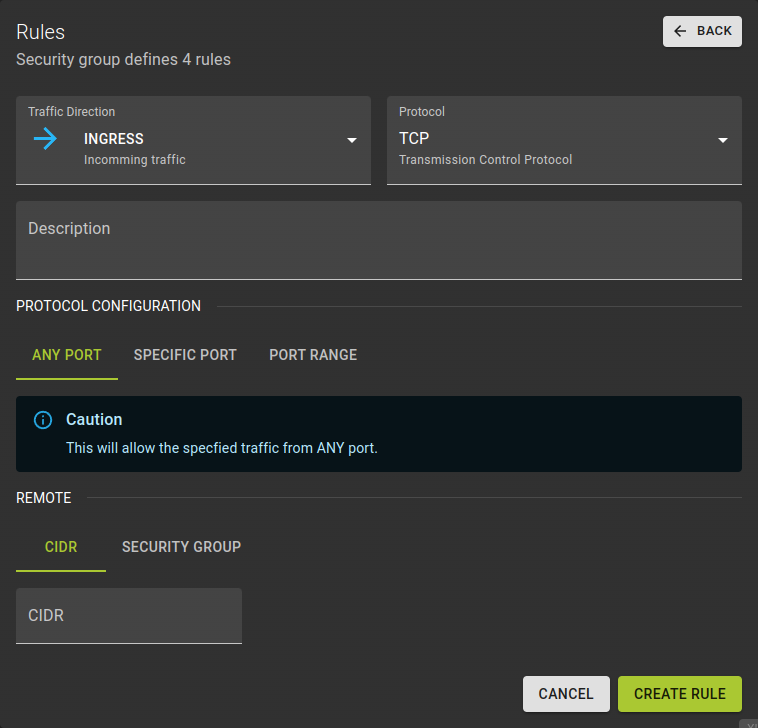 Define a rule to manage network traffic to and from your instances by:
-
Traffic Direction- Choose whether the rules apply to incoming (ingress) or outgoing (egress) traffic.
-
Protocol- Define the network protocol that the rule will target.
-
Description- Add an optional description.
- Specify the protocol configuration:
All: Use any to apply the rule to all types of network traffic, regardless of protocol.Specific: Target a specific protocol by its name or code.Range: Define a range of protocol codes, where the end code is higher than the start code.
-
Remote- Specify the remote IP address or remote security group for the rule.
- Confirm by clicking Create Rule .
Usage
openstack security group rule create
      [--remote-ip <ip-address> | --remote-group <group>]
      [--dst-port <port-range>]
      [--protocol <protocol>]
      [--description <description>]
      [--icmp-type <icmp-type>]
      [--icmp-code <icmp-code>]
      [--ingress | --egress]
      [--ethertype <ethertype>]
      <group>
--remote-ip <ip-address>- Remote IP address block (may use CIDR notation; default for IPv4 rule: 0.0.0.0/0, default for IPv6 rule: ::/0)
--remote-group <group>- Remote security group (name or ID)
--dst-port <port-range>- Destination port, may be a single port or a starting and ending port range: 137:139. Required for IP protocols TCP and UDP. Ignored for ICMP IP protocols.
--protocol <protocol>- IP protocol (ah, dccp, egp, esp, gre, icmp, igmp, ipv6-encap, ipv6-frag, ipv6-icmp, ipv6-nonxt, ipv6-opts, ipv6-route, ospf, pgm, rsvp, sctp, tcp, udp, udplite, vrrp and integer representations [0-255] or any; default: any (all protocols)) IP protocol (icmp, tcp, udp; default: tcp)
--description <description>- Set security group rule description
--icmp-type <icmp-type>- ICMP type for ICMP IP protocols
--icmp-code <icmp-code>- ICMP code for ICMP IP protocols
--ingress- Rule applies to incoming network traffic (default)
--egress- Rule applies to outgoing network traffic
--ethertype <ethertype>- Ethertype of network traffic (IPv4, IPv6; default: based on IP protocol)
<group>- Create rule in this security group (name or ID)
Example
# Terraform Provider configuration

terraform {
  required_providers {
    openstack = {
      source  = "terraform-provider-openstack/openstack"
    }
  }
}

resource "openstack_networking_secgroup_rule_v2" "ssh_rule" {
  direction         = "ingress"
  ethertype         = "IPv4"
  protocol          = "tcp"
  port_range_min    = 22
  port_range_max    = 22
  remote_ip_prefix  = "0.0.0.0/0"
  security_group_id = openstack_networking_secgroup_v2.ssh_access_secgroup.id
}
Remove Rule
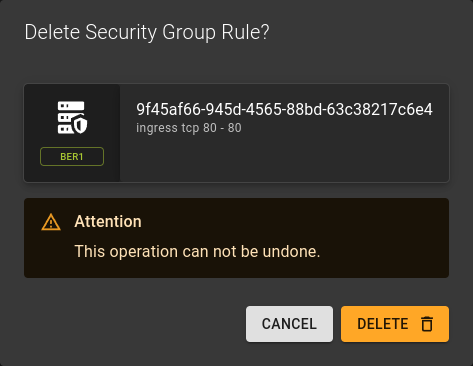 You can delete a rule by clicking the option on the
rule list
You can delete a rule by clicking the option on the
rule list
Confirm the deletion in the emerging prompt by clicking Delete
Usage
openstack security group rule delete <rule> [<rule> ...]
<rule>- Security group rule to delete (ID only)
- Can take a list of rules for bulk deletion
Delete Security Group
Prerequisites
A security group cannot be deleted if it is associated with any active instances. You must first disassociate the security group from all instances before deletion.
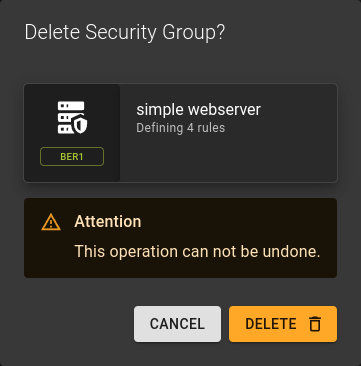 To delete a security group you can:
- Either click the option on the security group list at the end of each row.
- Or click the Delete button in the security groups detail page.
Confirm the deletion in the emerging prompt by clicking Delete
Usage
openstack security group delete <group> [<group> ...]
<group>- Security group to delete (name or ID)
- Can take a list for bulk deletion