API Keys
Deprecation Notice
We're currently evaluating a Service Account Design that deprecates API Keys in favor of Service Accounts. Existing API keys will continue to work, but the creation of new API keys will be disabled in the future.
Head to the Service Accounts section for more information.
SysEleven API Keys allow you to programmatically interact with the SysEleven Cloud. You can use API Keys to manage all project resources.
Permissions
- In order to view, create, or delete API Keys, you need to have the API Key Creation Permission.
- For an in-depth explanation of permissions, browse our Authorization Model.
- API Keys can be assigned fine-grained permissions only during creation.
Ownership and Access Control
API Keys are owned by a project. They can be created by users with the API Key Creation Permission and can be viewed once during creation.
View API Keys
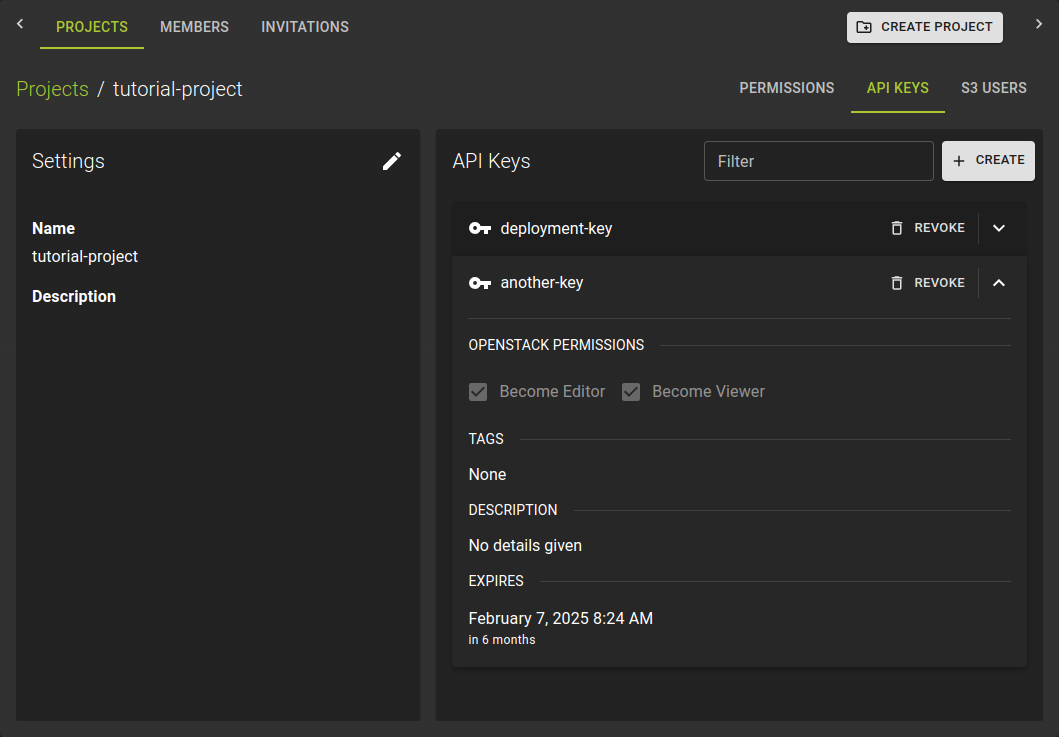 In order to view existing API Keys, head to the API Keys tab of your project settings. You can view the name, permissions, tags, description and expiration date of all API Keys here.
Create an API Key
Browse to the Project where you want to create the API Key. Click on the project to open the project details. Here, click on the API Keys tab.
Click on the Create button.
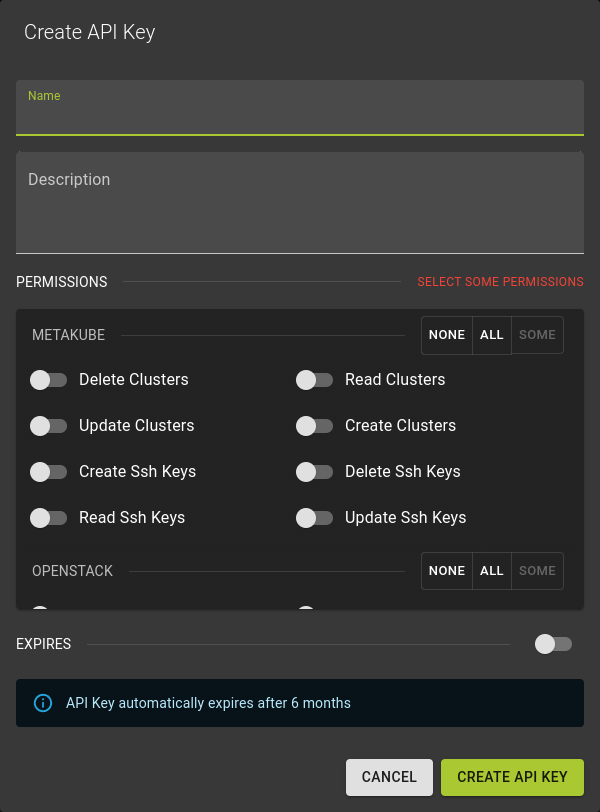 Enter a name for the API Key and assign permissions to the API Key. Refer to the Authorization Model for more information on permissions.
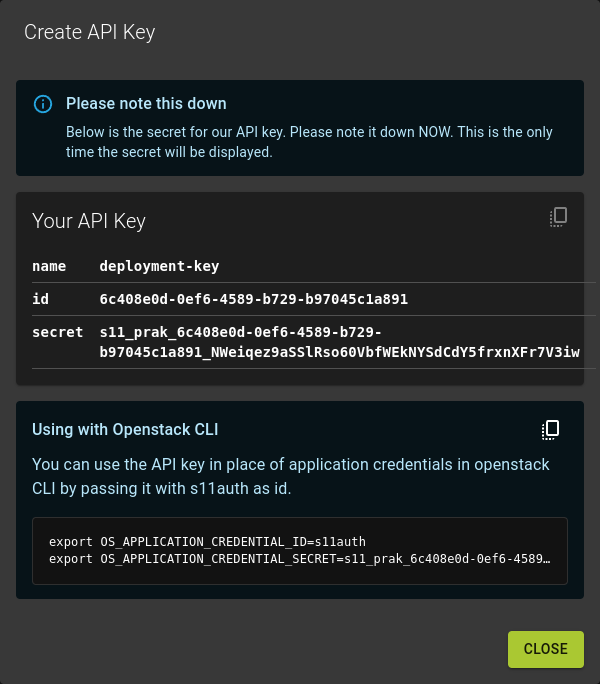 Click on the
 Create button to create the API Key.
Make sure to copy the secret key and store it in a secure location. You will not be able to retrieve the secret key again.
View Once Secrets
You cannot view the secret key of an API Key after creation. Make sure to copy the secret key and store it in a secure location.
The API Key is created and displayed in the overview.
You can now use the API Key to interact with the SysEleven Cloud programmatically. For usage with the different APIs, refer to the APIs and Regions.
Revoke an API Key
Browse to the details page of the project and switch to the API Keys tab.
In the list of API keys
- locate the api key you want to revoke
- click on the
REVOKEbutton in the header of the entry.
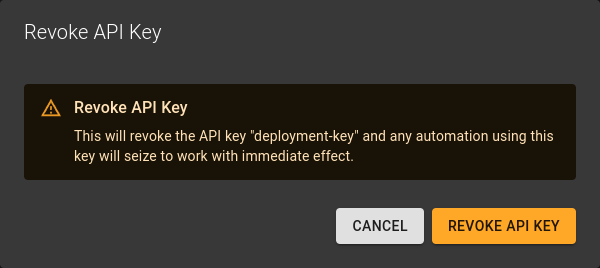 Confirm the operation by clicking Revoke API Key .
Modify API Key Permissions
Currently, we do not support changing permissions for an existing API Key. If you need to change permissions, you must create a new API Key with the desired permissions.