Update from API key to service account in a MetaKube cluster
By default the MetaKube cluster is created with an API key. Since we are deprecating the API key setup, you should update your MetaKube cluster to use a service account. Read more about service accounts in the linked guide.
Within the overview of the cluster, click the button "change credentials".
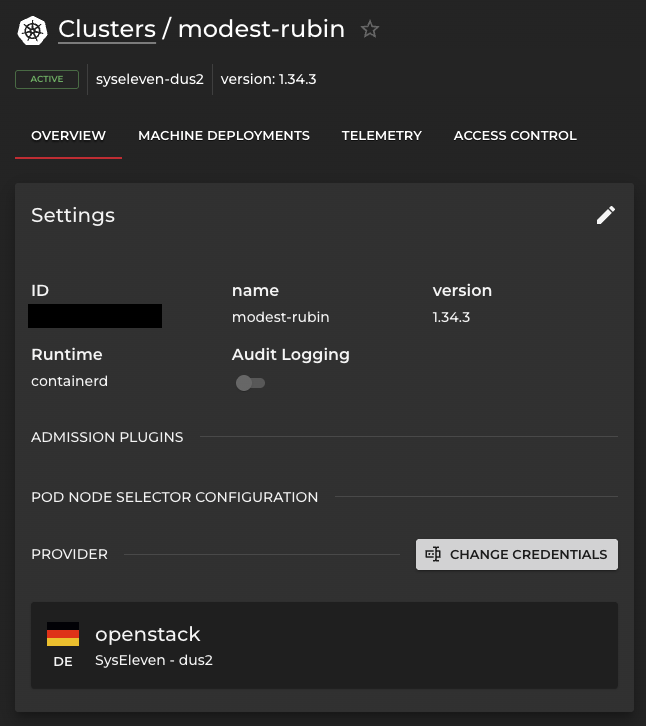
This menu gives you the option to select an existing service account and create credentials for the cluster, paste a previously created credential.
via curl you are able to update the cluster.
| Variable | Description |
|---|---|
| projectid | project id (e.g. ed88888888b88c88bc8eb8deb8888b8e) |
| clusterid | cluster id (e.g. xxzzj44bt4) |
| credential | service account secret (e.g. s11_orgsa_ |
curl "https://metakube.apis.syseleven.de/api/v2/projects/$projectid/clusters/$clusterid" \
    -X 'PATCH' \
    -H "Authorization: Bearer $credential" \
    -H 'accept: application/json, text/plain, */*' \
    -H 'content-type: application/json' \
    --data-raw "{
        \"spec\": {
            \"cloud\": {
            \"openstack\": {
                \"applicationCredentialId\": \"s11auth:$projectid\",
                \"applicationCredentialSecret\": \"$credential\"
            }
        }
    }
}"
Note
This example shows the whole cluster creation. Either redeploy your cluster or use the CLI option. These parts have to be updated in your existing Terraform deployment.