Routers
A router is a network component that passes information between two or more computer networks. A router inspects the destination IP address of a given data packet, calculates the best route for it to reach its destination, and then forwards the packet.
List Routers
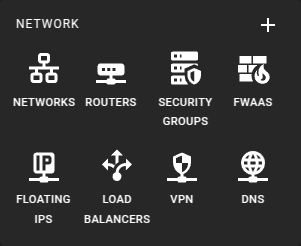 To get a list of all routers in a region you can click on the Routers
icon in the sidebar.
To get a list of all routers in a region you can click on the Routers
icon in the sidebar.
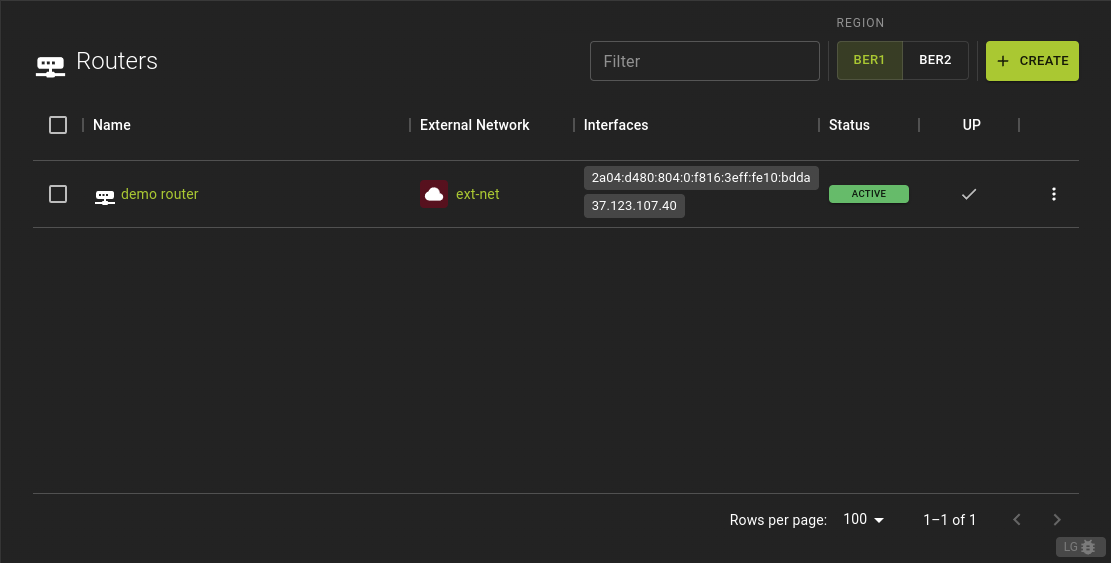 In the router list view, you can:
- Click on the router's name or ID to access its detailed information.
- View and copy the interface IP addresses directly from the table row.
- Trigger a variety of actions for a router by clicking the option at the very end of a table row. This will pop up a menu with common actions to perform on a router.
Usage
openstack router list
Output
+--------------------------------------+------------------+---------+--------+--------------------------------------+
| ID                                   | Name             | Status  | State  | Project                              |
+--------------------------------------+------------------+---------+--------+--------------------------------------+
| 12345678-9abc-def0-1234-56789abcdef | Router1           | Active  | UP     | 12345678-9abc-def0-1234-56789abcdef  |
| 23456789-abcd-ef01-2345-67890abcdef | Router2           | Down    | DOWN   | 23456789-abcd-ef01-2345-67890abcdef  |
| 34567890-bcde-f012-3456-78901abcdef | Router3           | Active  | UP     | 34567890-bcde-f012-3456-78901abcdef  |
+--------------------------------------+------------------+---------+--------+--------------------------------------+
Create A Router
Prerequisites
To create a router, you'll need to specify an existing external network.
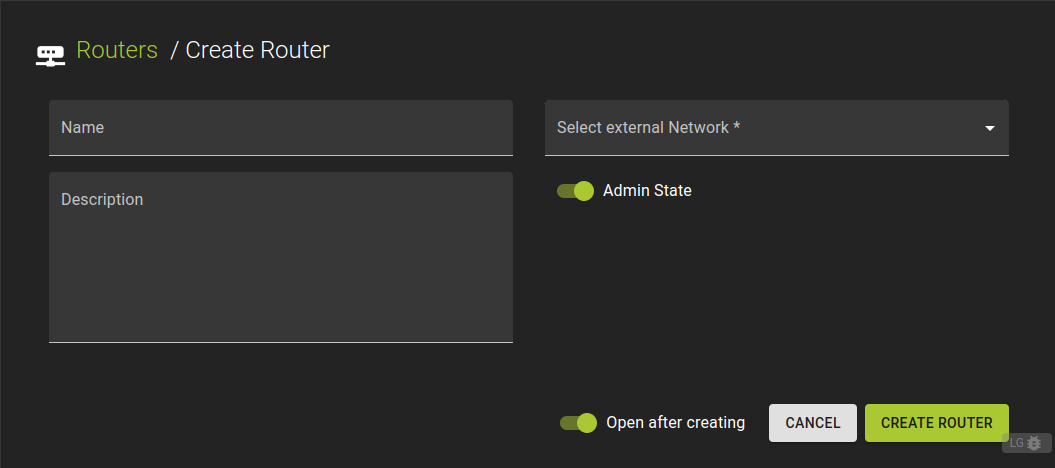 To create a router:
- On the routers list click Create
- Assign a name and a description.
- Choose the external network that the router will connect to.
- Confirm the creation by clicking Create Router
Usage
openstack router create
    [--enable | --disable]
    [--distributed | --centralized]
    [--ha | --no-ha]
    [--description <description>]
    [--availability-zone-hint <availability-zone>]
    [--tag <tag> | --no-tag]
    [--external-gateway <network>]
    [--fixed-ip subnet=<subnet>,ip-address=<ip-address>]
    [--enable-snat | --disable-snat]
    [--enable-ndp-proxy | --disable-ndp-proxy]
    [--flavor <flavor-id>]
    [--enable-default-route-bfd]
    [--disable-default-route-bfd]
    [--enable-default-route-ecmp]
    [--disable-default-route-ecmp]
    <name>
--enable- Enable router (default)
--disable- Disable router
--distributed- Create a distributed router
--centralized- Create a centralized router
--ha- Create a highly available router
--no-ha- Create a legacy router
--description <description>- Set router description
--availability-zone-hint <availability-zone>- Availability Zone in which to create this router (Router Availability Zone extension required, repeat option to set multiple availability zones)
--tag <tag>- Tag to be added to the router (repeat option to set multiple tags)
--no-tag- No tags associated with the router
--external-gateway <network>- External Network used as router's gateway (name or ID). (repeat option to set multiple gateways per router if the L3 service plugin in use supports it).
--fixed-ip subnet=<subnet>,ip-address=<ip-address>- Desired IP and/or subnet (name or ID) on external gateway:
subnet=
,ip-address= (repeat option to set multiple fixed IP addresses). --enable-snat- Enable Source NAT on external gateway
--disable-snat- Disable Source NAT on external gateway
--enable-ndp-proxy- Enable IPv6 NDP proxy on external gateway
--disable-ndp-proxy- Disable IPv6 NDP proxy on external gateway
--flavor <flavor-id>- Associate the router to a flavor (by name or ID)
--enable-default-route-bfd- Enable BFD sessions for default routes inferred from the external gateway port subnets for this router.
--disable-default-route-bfd- Disable BFD sessions for default routes inferred from the external gateway port subnets for this router.
--enable-default-route-ecmp- Add ECMP default routes if multiple are available via different gateway ports.
--disable-default-route-ecmp- Add default route only for first gateway port.
<name>- New router name
Example
# Terraform Provider configuration

terraform {
  required_providers {
    openstack = {
      source  = "terraform-provider-openstack/openstack"
    }
  }
}

# Network configuration

data "openstack_networking_network_v2" "ext_net" {
  name = "ext-net"
}

resource "openstack_networking_router_v2" "network" {
  name                = "router"
  admin_state_up      = "true"
  external_network_id = data.openstack_networking_network_v2.ext_net.id
}
Inspect and modify a Router
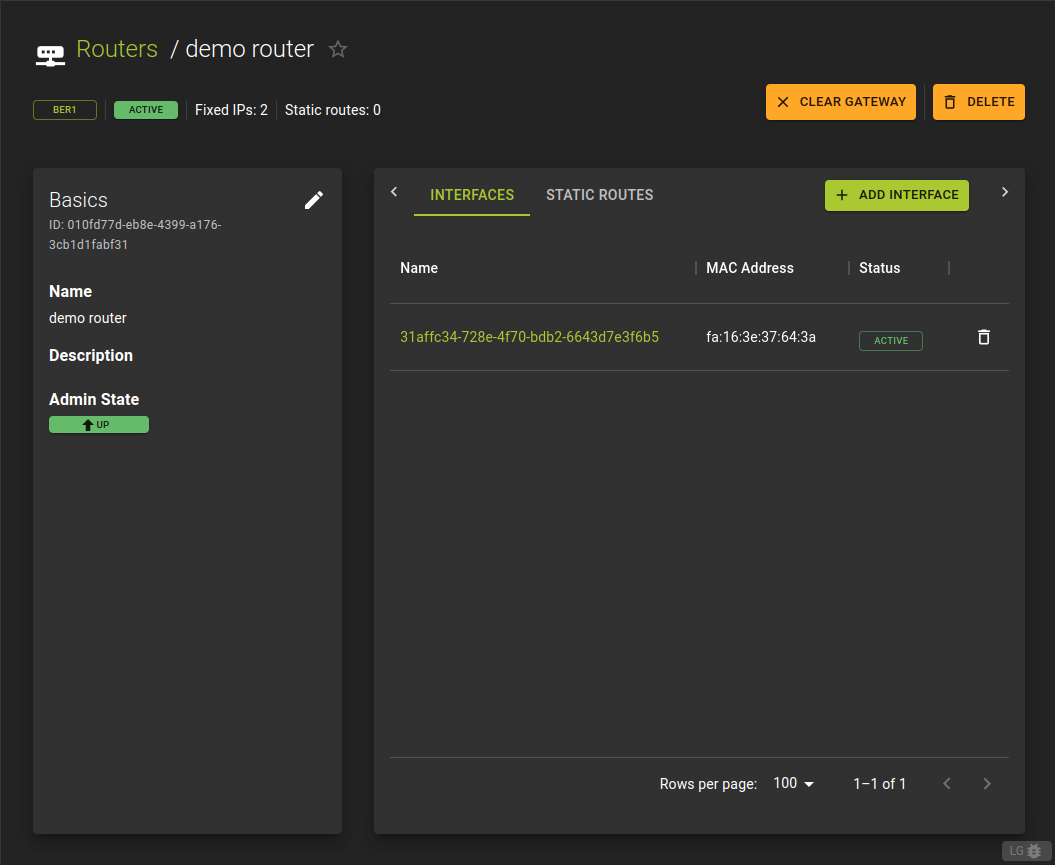 You can view a router by clicking an entry in the routers list. This will navigate you to the
details page of the router.
You can view a router by clicking an entry in the routers list. This will navigate you to the
details page of the router.
On the details page, you can:
- View and modify the router's name, description, and status.
- Access the Interfaces tab, which displays all ports associated with the router.
- Access the Static Routes tab, which lists the manually configured static routes for directing network traffic to specific destinations.
- Delete a Router
- Additionally, you'll find the Clear Gateway action button. This option allows you to remove the current gateway configuration from the router, assisting with reconfiguration or troubleshooting network issues.
Manage Interfaces
List Interfaces
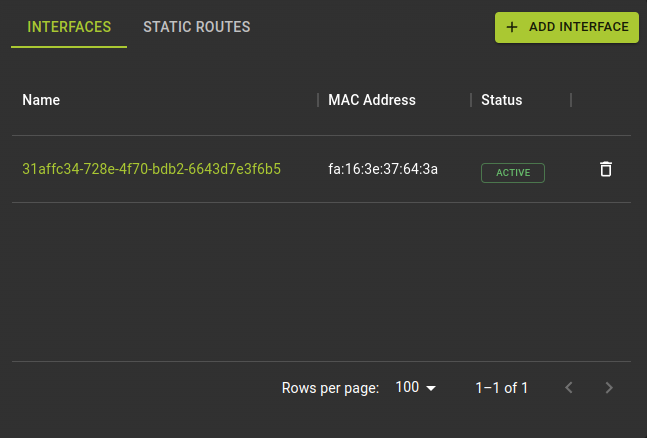 In this tab, you can:
- Access the details of each interface listed, providing insights into their configurations and connections.
- Create new interfaces directly from this page, streamlining the process of adding additional connections to the router without navigating away.
Create Interface
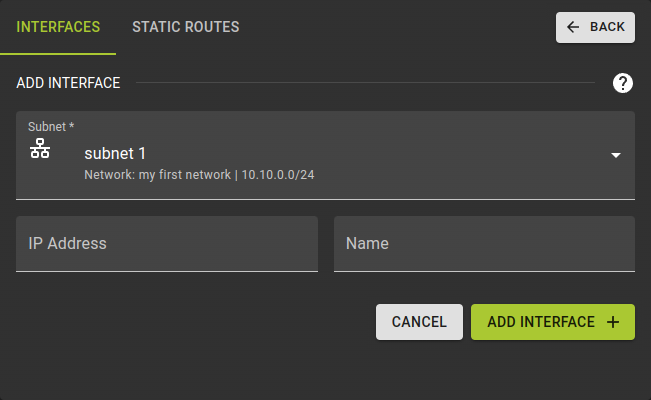 To connect the router to additional networks you will need to attach it via an interface.
- On the details page of a router switch to the Interfaces tab
- Click the Add Interface button in the list of interfaces.
-
Subnet- Choose the subnet that the interface will connect to.
-
IP Address- Optionally, you can specify a fixed IP address for the interface. If not provided, an IP address will be automatically assigned from the subnet.
-
Name- Optionally, you can provide a name for the interface.
- Confirm the creation by clicking Create Interface
Delete Interface
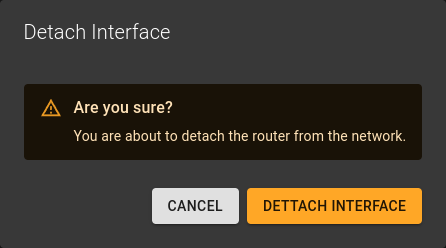 To delete an interface:
- On the list of interfaces click the icon at the end of a row
- Confirm the action in the emerging prompt by clicking Detach Interface .
List Interfaces (Ports)
UsageAdd Interface (Port)
Usage
openstack router add port <router> <port>
<router>- Identifier of router
<port>- Identifier of port
Remove Interface (Port)
Usage
openstack router remove port <router> <port>
<router>- Identifier of router
<port>- Identifier of port
Manage Static Routes
List Routes
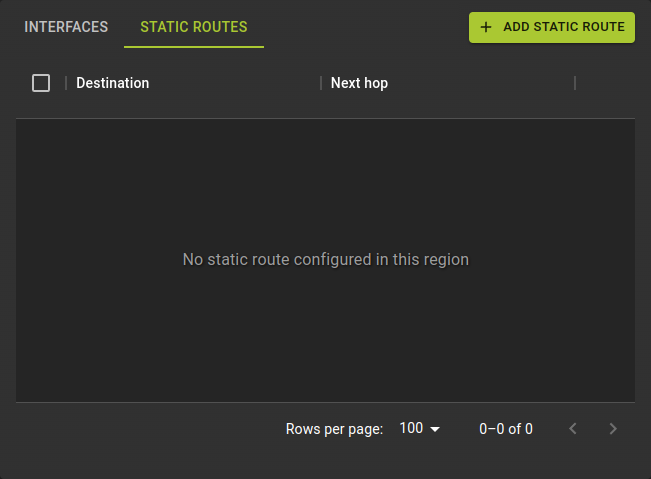 In this tab, you can:
- View a list of all static routes configured on the router. This provides an overview of the predefined paths for directing network traffic.
- Create a new static route directly from this page. This option allows you to add routing rules without navigating away from the router's details page.
Add Route
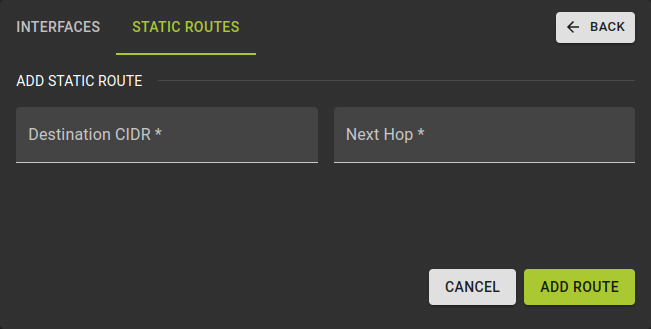 For the static router creation, you need to provide the following details:
- Destination CIDR: Specify the IP address range or network destination that the static route will apply to.
- Next Hop: Enter the IP address of the next router or gateway that network traffic should be directed to for the specified destination CIDR.
Delete Routes
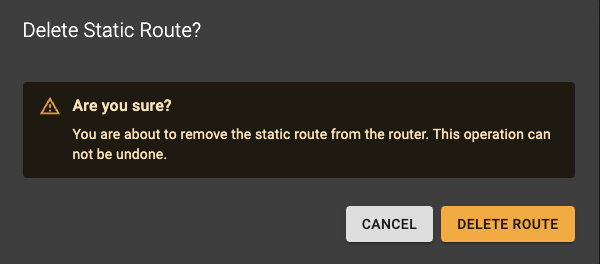 To delete a static route, click the trash icon in the row of the table list, then confirm the
deletion in the prompt that appears.
To delete a static route, click the trash icon in the row of the table list, then confirm the
deletion in the prompt that appears.
Add Route
Usageopenstack router add route
[--route destination=<subnet>,gateway=<ip-address>]
<router>
--route destination=<subnet>,gateway=<ip-address>- Add extra static route to the router. destination: destination subnet (in CIDR notation), gateway: nexthop IP address. Repeat option to add multiple routes. Trying to add a route that's already present (exactly, including destination and nexthop) in the routing table is allowed and is considered a successful operation.
<router>- Router to which extra static routes will be added (name or ID).
Remove Route
Usageopenstack router remove route
[--route destination=<subnet>,gateway=<ip-address>]
<router>
--route destination=<subnet>,gateway=<ip-address>- Remove extra static route from the router. destination: destination subnet (in CIDR notation), gateway: nexthop IP address. Repeat option to remove multiple routes. Trying to remove a route that's already missing (fully, including destination and nexthop) from the routing table is allowed and is considered a successful operation.
<router>- Router from which extra static routes will be removed (name or ID).
Example
# Terraform Provider configuration

terraform {
  required_providers {
    openstack = {
      source  = "terraform-provider-openstack/openstack"
    }
  }
}

resource "openstack_networking_router_v2" "router" {
  name           = "router"
  admin_state_up = "true"
}

resource "openstack_networking_network_v2" "network" {
  name           = "network"
  admin_state_up = "true"
}

resource "openstack_networking_subnet_v2" "subnet" {
  network_id = openstack_networking_network_v2.network.id
  cidr       = "192.168.199.0/24"
  ip_version = 4
}

resource "openstack_networking_router_interface_v2" "int" {
  router_id = openstack_networking_router_v2.router.id
  subnet_id = openstack_networking_subnet_v2.subnet.id
}

resource "openstack_networking_router_route_v2" "router_route" {
  depends_on       = [openstack_networking_router_interface_v2.int]
  router_id        = openstack_networking_router_v2.router.id
  destination_cidr = "10.20.30.0/24"
  next_hop         = "192.168.199.254"
}
Router Actions
You can perform actions either from the router details page or from the router list by clicking the menu, which will reveal the available options.
Clear Gateway
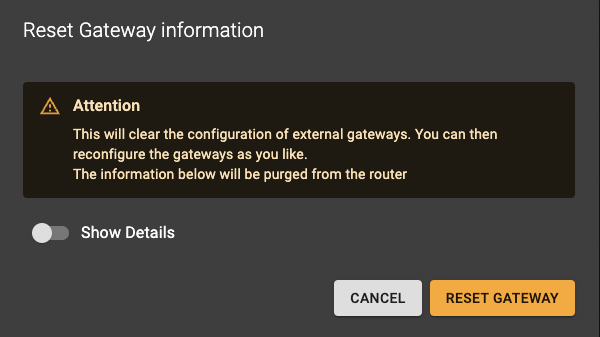 Removes the external network gateway configuration from the router. This disconnects the router
from the external network, preventing it from routing traffic between internal networks and the
external network.
Removes the external network gateway configuration from the router. This disconnects the router
from the external network, preventing it from routing traffic between internal networks and the
external network.
Usage
openstack router remove gateway
    [--fixed-ip subnet=<subnet>,ip-address=<ip-address>]
    <router>
    <network>
--fixed-ip- IP and/or subnet (name or ID) on the external gateway which is used to identify a particular
gateway if multiple are attached to the same network:
subnet=
,ip-address= . <router>- Router to modify (name or ID).
<network>- External Network to remove a router gateway from (name or ID).
Delete Router
Prerequisites
Before you can delete the router, please ensure the following:
- Remove Static Routes: Verify that all static routes configured on the router are cleared.
- Detach Interfaces: Make sure that all interfaces attached to the router are detached.
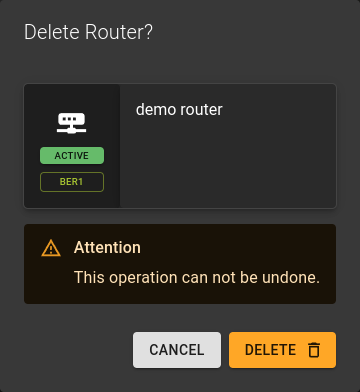 You can delete a router in two ways:
- From the list view use the menu and select
Delete router. - From the details view click the
DELETEoption at the top of the page.
A prompt will appear asking you to confirm the deletion.
Usage
openstack router delete <router> [<router> ...]
<router>- Identifier of router to delete
- Accepts list of identifier for bulk operation