Machine-Deployments
Machine Deployments are a key component in managing the infrastructure that powers Kubernetes clusters. They simplify the complex tasks of provisioning, scaling, and maintaining the virtual machines or physical nodes that make up your cluster. By defining your infrastructure needs declaratively, Machine Deployments ensure that your cluster's resources are consistently aligned with your desired state, automating the creation, updating, and scaling of machines.
Note
A single Kubernetes cluster may define Machine Deployments for different groups of nodes, each fulfilling distinct roles or requirements.
List Machine Deployments
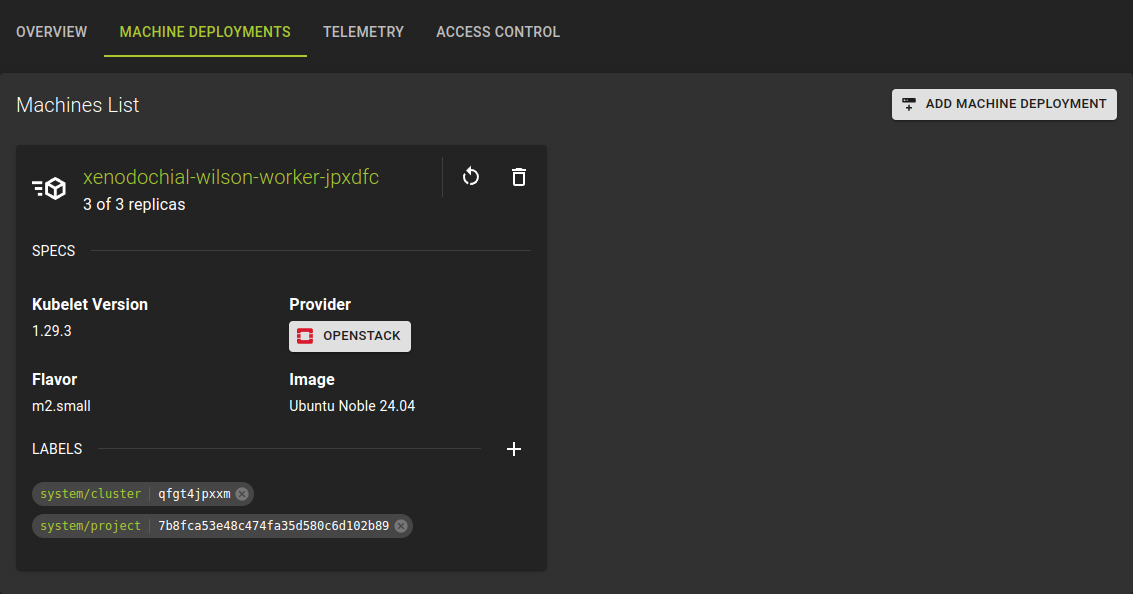 To view the Machine Deployment list, navigate to the cluster detail page and switch to the MACHINE DEPLOYMENTS tab.
From this list you can:
- See the machine specifications at a glance.
- Access the detailed information for a specific deployment by clicking on the machine name.
Usage
Create Machine Deployment
To create a machine deployment click on ADD MACHINE DEPLOYMENT in the title bar of the machine deployment list.
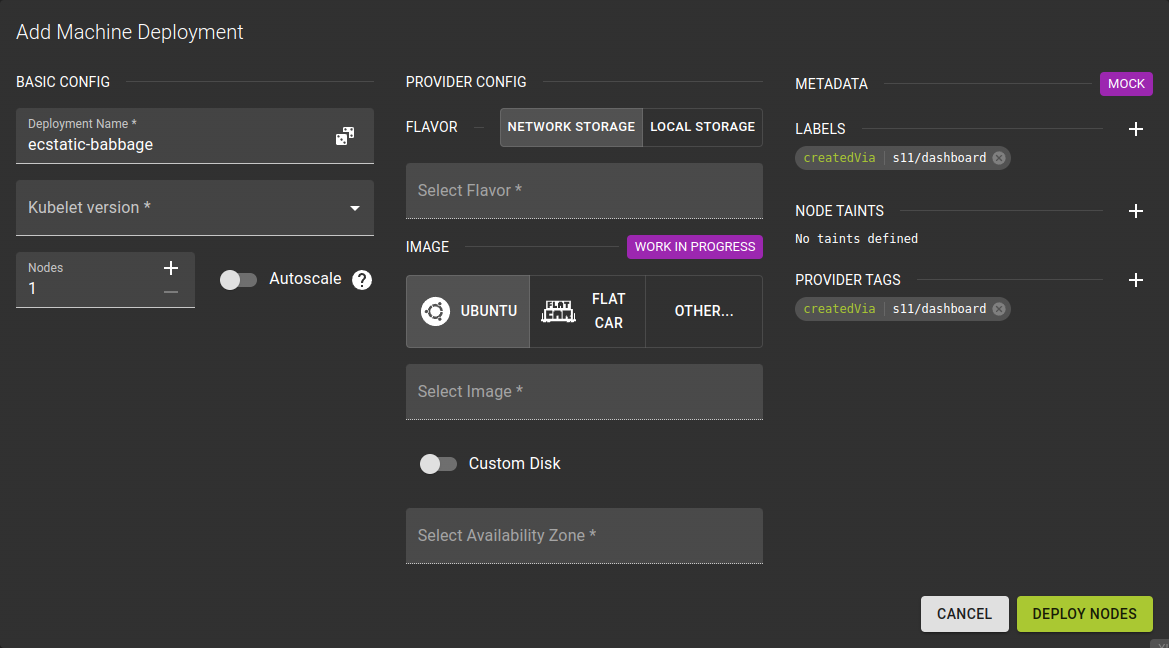 Creating a Machine Deployment involves configuring several key parameters.
Basic Configuration
- Name your deployment. The UI will suggest a name for you but feel free to change it.
- Kubelet version. Ensure this version is compatible with your Kubernetes cluster to avoid any issues.
- Define the number of nodes in your deployment.
- You can specify an absolute number
- You can also configure the node pool to scale automatically between a minimum and maximum number
Provider Specific Configuration
Here you configure additional settings for openstack.
Flavor- Determines the size / specs of the server.
Image- Select which image should be used to provision the nodes.
Custom Disk- Allows you to override the default size of the volumes on each node
Availability Zone- Select the availability zone for the nodes
Metadata
Provide Metadata in the form of labels to facilitate addressing resources and automation
Usage
You can manage MachineDeployments through its custom resource directly in your cluster.
MetaKube processes MachineDeployments in the kube-system namespace.
Note
Using kubectl (or any other Kubernetes client) does not use the MetaKube API and relies on Kubernetes authorization instead. It exposes the resources directly, which can give you more granular control.
A manifest for a MachineDeployment could look like this:
apiVersion: cluster.k8s.io/v1alpha1
kind: MachineDeployment
metadata:
  namespace: kube-system
  name: nodes
spec:
  replicas: 2
  selector:
    matchLabels:
      group: nodes
  template:
    metadata:
      labels:
        group: nodes
    spec:
      versions:
        kubelet: 1.32.1
      providerSpec:
        value:
          cloudProvider: openstack
          cloudProviderSpec:
            availabilityZone: ham1-1
            flavor: SCS-4V-16-50n
            floatingIpPool: ext-net
            image: Ubuntu Noble 24.04
            network: metakube-mmxfcmgjkx
            region: ham1-1
            securityGroups:
              - metakube-mmxfcmgjkx
            serverGroupID: fe9dcd44-f08a-492a-9e64-4e38e1d51573
            subnet: 2969ae04-a429-4c1b-83e3-2f76fc3a342a
          operatingSystem: ubuntu
          operatingSystemSpec: {}
Modify Machine Deployment
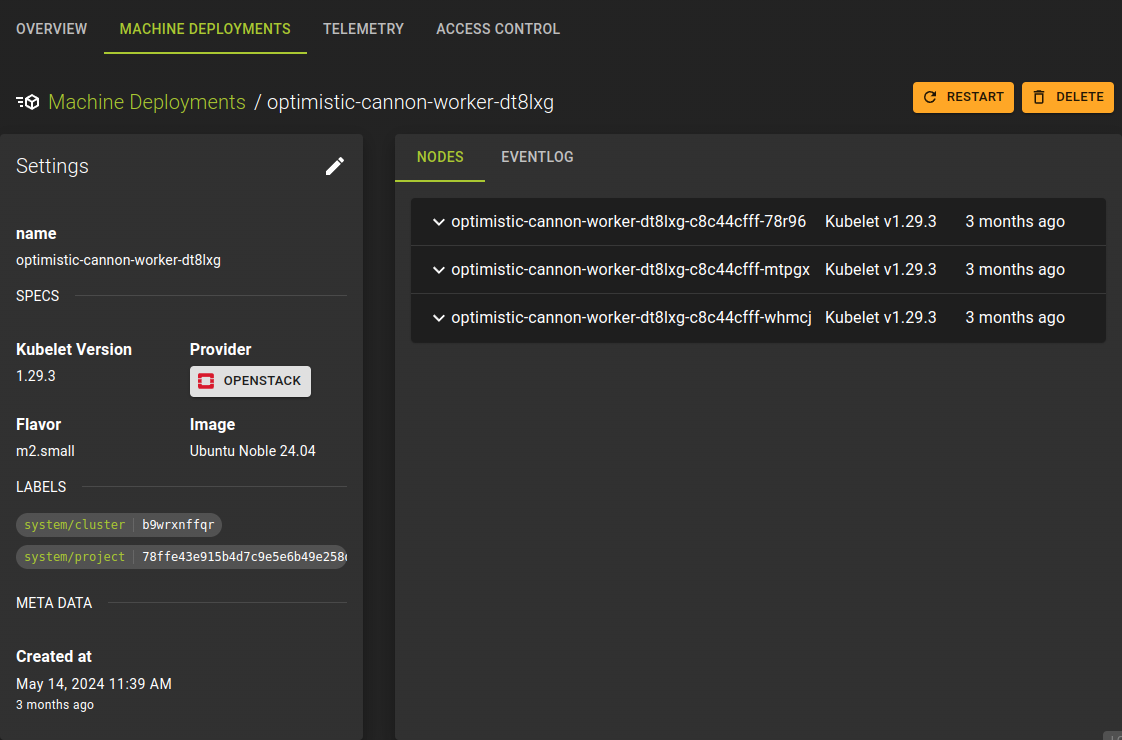 On the Machine Deployment details page, you can view deployment settings, node information, and the event log that tracks recent activities and changes.
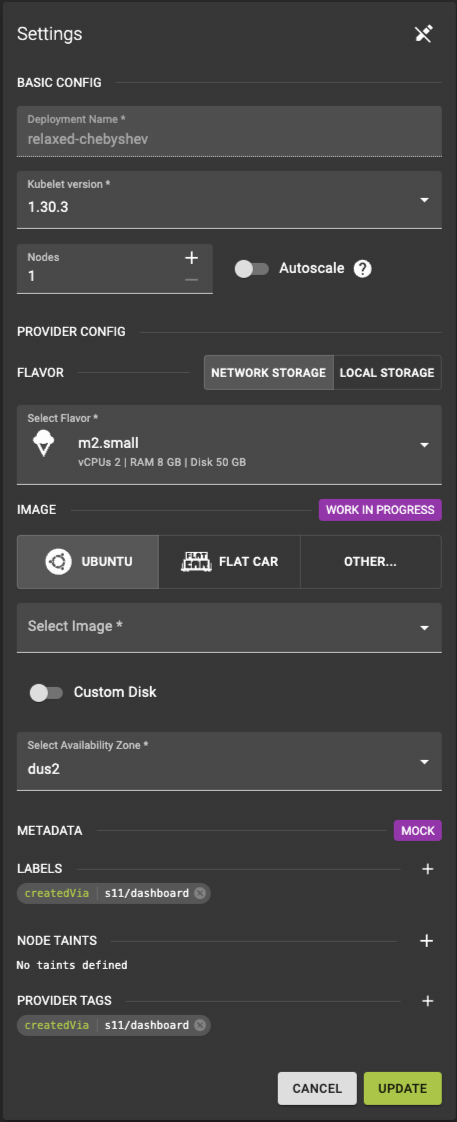
To update the settings for a Machine Deployment, click the icon at the top right of the card. This action will open an interface where you can change various deployment parameters.
You can adjust the following settings:
-
Kubelet Version- Specify the version of the kubelet to be used on the machine, ensuring that it is compatible with your Kubernetes cluster to avoid any issues.
-
Numberof Replicas- Set the desired number of machine instances.
-
Autoscaling- Enable autoscaling to automatically adjust the number of replicas based on demand.
-
Customize additional OpenStack settings:
-
Flavor: Determines the hardware specifications, such as CPU and memory. Image: Choose the operating system image for provisioning the node.CustomDisk : Override the default disk size for the node's volumes.AvailabilityZone : Select the availability zone where the nodes will be located.
Note
The deployment name cannot be changed, as it serves as a unique identifier within the Kubernetes cluster.
Usage
Delete Machine Deployment
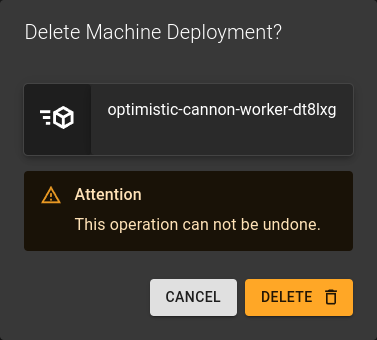 You can delete a Machine Deployment in two ways:
- From the Machine Deployment list, click the icon.
- From the details page, click the DELETE button.
In both cases, confirm the deletion by clicking the delete button in the confirmation dialog that appears.
Usage