SysEleven OpenStack Cloud - VPNaaS - Site Connections 95%
Concepts
An IPsec Site Connection in OpenStack VPNaaS is essential for establishing a secure, encrypted tunnel between your OpenStack environment and a remote site. Leveraging IPsec (Internet Protocol Security), this connection ensures that data packets are encrypted and authenticated, protecting sensitive information from unauthorized access and tampering. It provides a reliable means of secure communication across potentially insecure networks, safeguarding data as it travels between sites.
List Site Connections
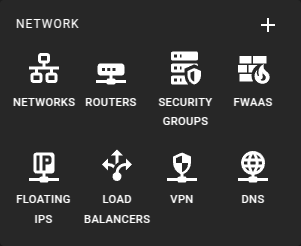 To get a list of the IPsec Site Connections in a region you can click on the VPN icon in the sidebar.
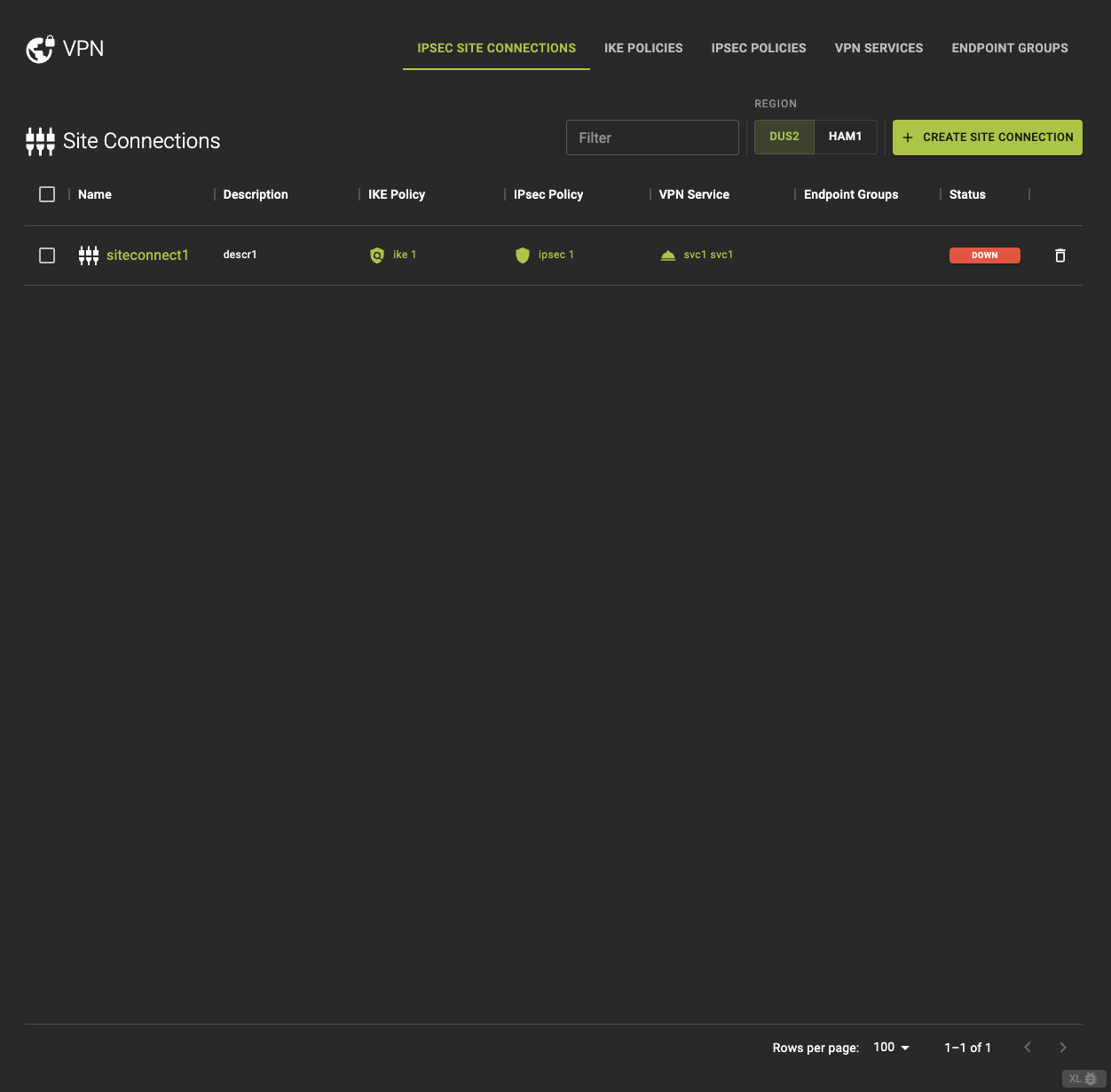 From the IPsec Site Connections tab, you can:
- View detailed Information by clickin on the name or ID on the list.
- Access related components such as VPN Service, IKE Policy, and IPsec Policy directly.
Usage
openstack vpn ipsec site connection list
Output
+--------------------------------------+---------------------+-----------------------+----------------------+----------------------+

+--------------------------------------+---------------------+-----------------------+----------------------+----------------------+
Create A Site Connection
Info
To create a site connection successfully, ensure that all required VPN components are pre-configured.#
IKE Policies IPSec Policies VPN Services Endpoint Groups
These components must be set up in advance to define the VPN connection's behavior
To create a VPN IPsec Site Connection click on create site connection option in the IPsec Site Connection tab.
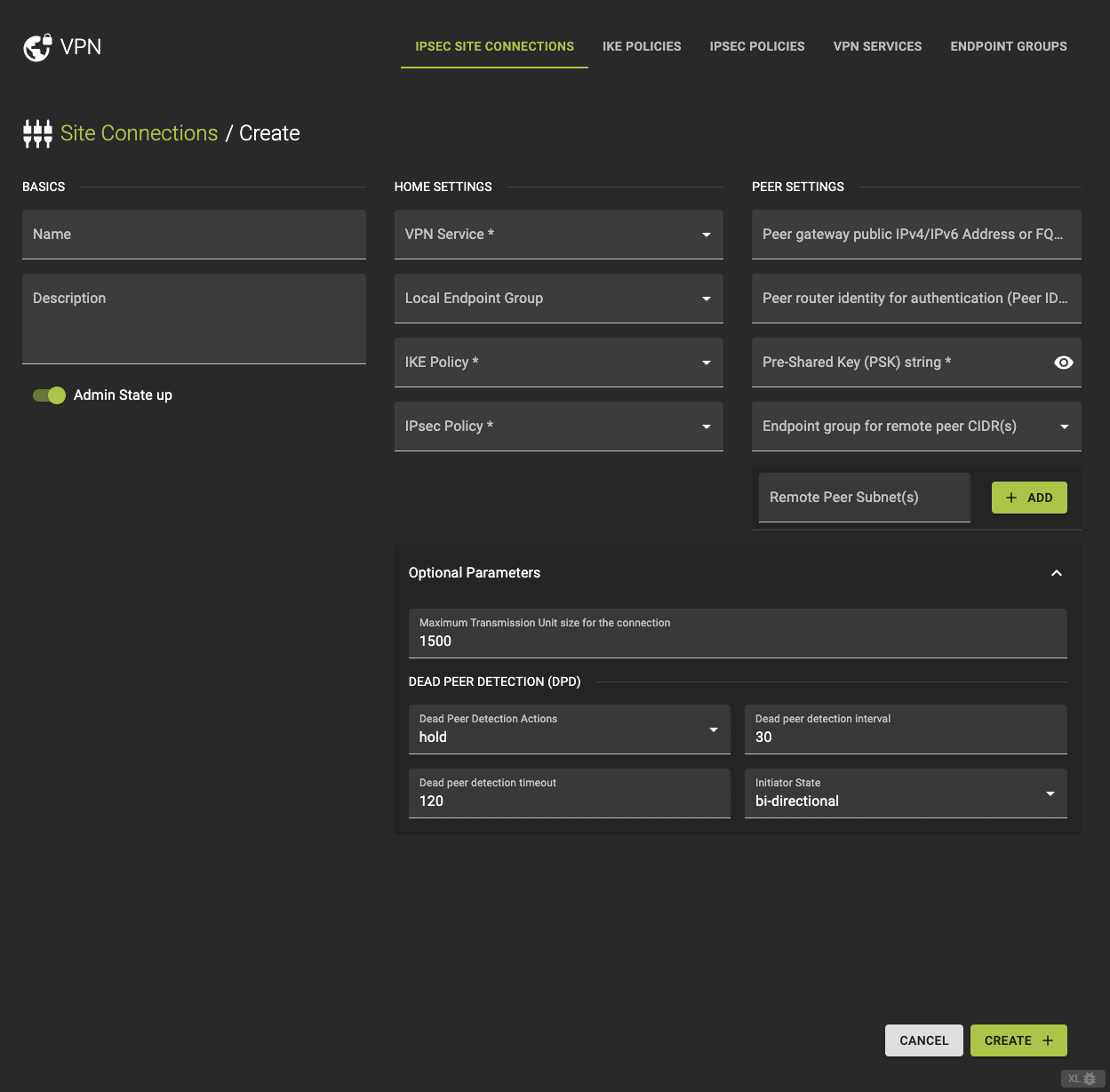
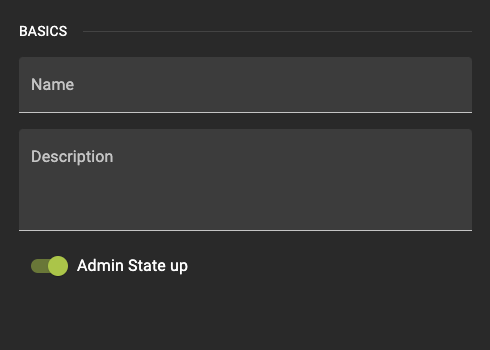
Basics
- Name: Enter a name for the site connection.
- Description: Optionally, add a brief description of the connection.
- Admin State up: Choose whether to enable or disable the connection upon creation.
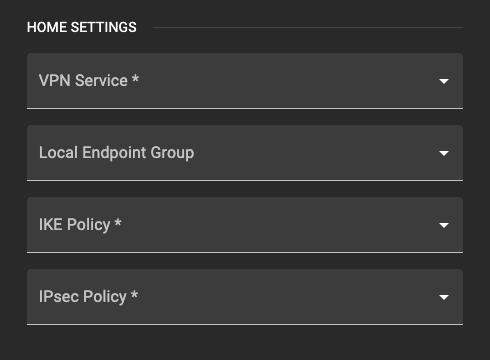
Home Settings
- VPN Service: Select the VPN service that this connection will use from the dropdown list.
- IKE Policy: Choose the IKE Policy that governs Phase 1 of the VPN connection.
- IPsec Policy: Select the IPsec Policy that dictates the security parameters for Phase 2.
- Local Endpoint Group: Choose the local endpoint group representing the subnets on your side of the VPN.
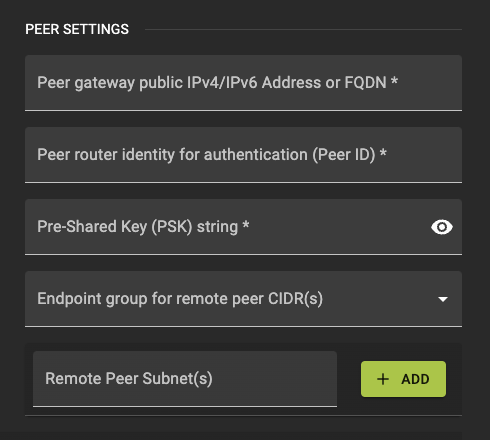
Peer Settings
- Peer Address: Provide the public IP address of the remote VPN gateway.
- Peer ID: Enter the identifier for the remote peer, usually its IP address or FQDN.
- PSK (Pre-Shared Key): Enter the shared secret key that will be used for authentication between the local and remote gateways.
- Peer Endpoint Group: Specify the remote endpoint group representing the peer subnets.
- Peer CIDR: Alternatively, directly enter the CIDR for the remote subnet.
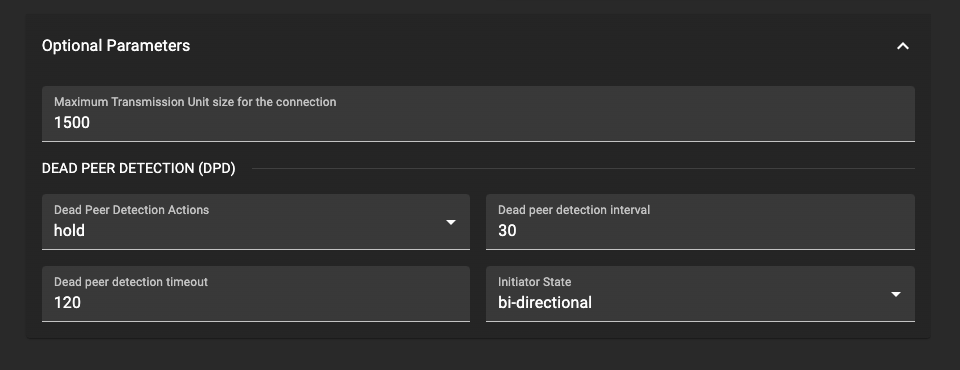
Optional Parameters
- MTU (Maximum Transmission Unit): Set the MTU size if necessary.
- DPD (Dead Peer Detection): Configure the action, interval, and timeout settings for DPD.
- Initiator: Choose the initiator mode to define how the VPN connection is initiated
bi-directionalresponse-only
Finalize and Confirm
Once you have reviewed and configured all settings for your VPN IPsec Site Connection, click create to initiate the provisioning process.
This action will start the creation of the VPN IPsec Site Connection. You will be redirected back to the list of VPN IPsec Site Connections, where your new connection will appear shortly.
The setup process may take some time as the system establishes and configures the secure tunnel according to your settings. Make sure to check the connection status to confirm it is Active.
Usage
openstack vpn ipsec site connection create
    [--description <description>]
    [--dpd action=ACTION,interval=INTERVAL,timeout=TIMEOUT]
    [--mtu MTU]
    [--initiator {bi-directional,response-only}]
    [--peer-cidr PEER_CIDRS | --local-endpoint-group LOCAL_ENDPOINT_GROUP]
    [--peer-endpoint-group PEER_ENDPOINT_GROUP]
    [--enable | --disable]
    [--local-id LOCAL_ID]
    --peer-id PEER_ID
    --peer-address PEER_ADDRESS
    --psk PSK
    --vpnservice VPNSERVICE
    --ikepolicy IKEPOLICY
    --ipsecpolicy IPSECPOLICY
    <name>
--description- Description for the connection
--dpd- Ipsec connection Dead Peer Detection attributes. ‘action’-hold,clear,disabled,restart,restart-by-peer. ‘interval’ and ‘timeout’ are non negative integers. ‘interval’ should be less than ‘timeout’ value. ‘action’, default:hold ‘interval’, default:30, ‘timeout’, default:120.
--mtu- MTU size for the connection
--initiator- Initiator state
--peer-cidr- Remote subnet(s) in CIDR format. Cannot be specified when using endpoint groups. Only applicable, if subnet provided for VPN service.
--local-endpoint-group- Local endpoint group (name or ID) with subnet(s) for IPsec connection
--peer-endpoint-group- Peer endpoint group (name or ID) with CIDR(s) for IPSec connection
--enable- Enable IPSec site connection
--disable- Disable IPSec site connection
--local-id- An ID to be used instead of the external IP address for a virtual router
- `--peer-id
- Peer router identity for authentication. Can be IPv4/IPv6 address, e-mail address, key id, or FQDN
--peer-address- Peer gateway public IPv4/IPv6 address or FQDN
--psk- Pre-shared key string.
--vpnservice- VPN service instance associated with this connection (name or ID)
--ikepolicy- IKE policy associated with this connection (name or ID)
--ipsecpolicy- IPsec policy associated with this connection (name or ID)
<name>- Set friendly name for the connection
Inspect and modify a Site Connection
To view or modify the details of an existing VPN IPsec Site Connection, click on the connection name or ID in the list. This will take you to the details page for that connection.
Here’s what you can do on the details page.
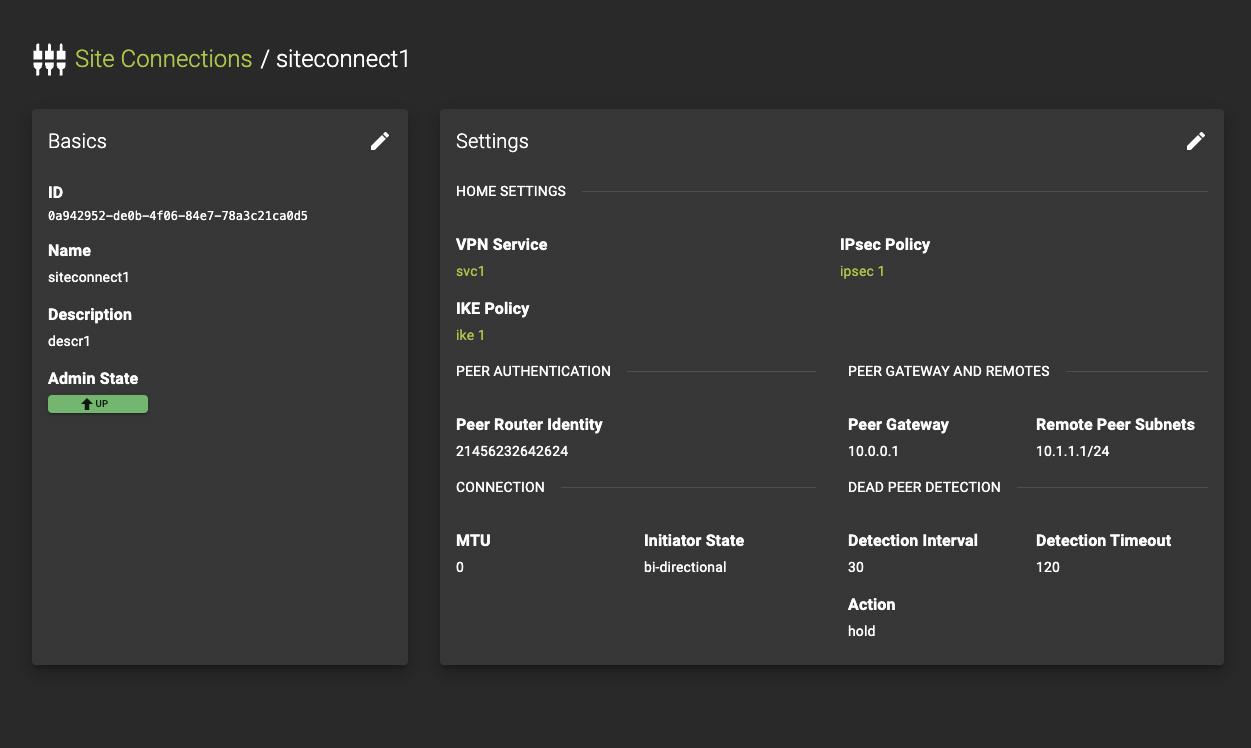
Review the current settings and status
This includes:- VPN Service: See which VPN service is associated with this connection.
- IKE Policy: View the Internet Key Exchange (IKE) policy used for Phase 1 negotiations.
- IPsec Policy: Check the IPsec policy applied for securing the VPN traffic in Phase 2.
- Peer Settings: Inspect settings related to the peer device, such as peer address, peer ID, and pre-shared key (PSK).
- Other Parameters: Review additional configuration details, including MTU, DPD settings, and initiator options.
For VPN Service, IKE Policy, and IPsec Policy, you can directly access the detailed pages by clicking on the name or ID, making it easy to navigate and manage these related components.
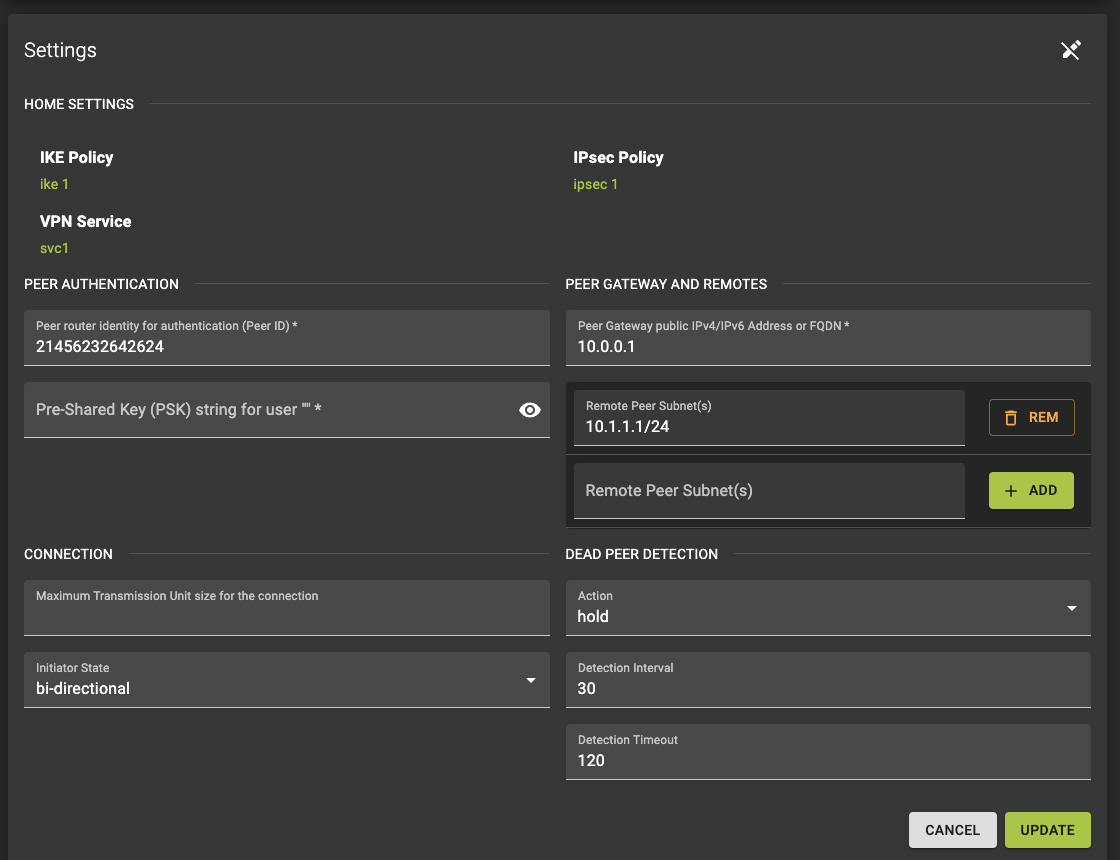
Modify Parameters
To make changes to the connection settings, click the button. This allows you to update parameters such as the description, MTU, DPD settings, and other configurable options.
Info
Please note that some parameters, such as the connection’s associated VPN service or endpoint groups, cannot be modified once the connection is active. If you need to change these parameters, you may need to delete and recreate the connection.
After making adjustments, review the modified settings and click update to apply the changes. The system will process the updates, and you will be taken back to the list of IPsec Site Connections.
Warning
The status of your connection might change as the system applies the updates. Ensure that the connection is functioning as expected and make further adjustments if necessary from the details page.
Usage
openstack vpn ipsec site connection set
    [--description <description>]
    [--dpd action=ACTION,interval=INTERVAL,timeout=TIMEOUT]
    [--mtu MTU]
    [--initiator {bi-directional,response-only}]
    [--peer-cidr PEER_CIDRS | --local-endpoint-group LOCAL_ENDPOINT_GROUP]
    [--peer-endpoint-group PEER_ENDPOINT_GROUP]
    [--enable | --disable]
    [--local-id LOCAL_ID]
    [--peer-id PEER_ID]
    [--peer-address PEER_ADDRESS]
    [--name <name>]
    <ipsec-site-connection>
--description- Description for the connection
--dpd- Ipsec connection Dead Peer Detection attributes. ‘action’-hold,clear,disabled,restart,restart-by-peer. ‘interval’ and ‘timeout’ are non negative integers. ‘interval’ should be less than ‘timeout’ value. ‘action’, default:hold ‘interval’, default:30, ‘timeout’, default:120.
--mtu- MTU size for the connection
--initiator- Initiator state
--peer-cidr- Remote subnet(s) in CIDR format. Cannot be specified when using endpoint groups. Only applicable, if subnet provided for VPN service.
--local-endpoint-group- Local endpoint group (name or ID) with subnet(s) for IPsec connection
--peer-endpoint-group- Peer endpoint group (name or ID) with CIDR(s) for IPSec connection
--enable
Enable IPSec site connection
--disable
Disable IPSec site connection
--local-id- An ID to be used instead of the external IP address for a virtual router
--peer-id- Peer router identity for authentication. Can be IPv4/IPv6 address, e-mail address, key id, or FQDN
--peer-address- Peer gateway public IPv4/IPv6 address or FQDN
--name- Set friendly name for the connection
<ipsec-site-connection>- IPsec site connection to set (name or ID)
Delete Site Connection
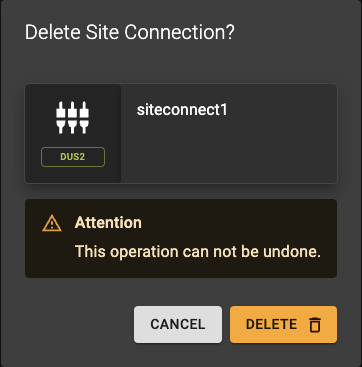
To delete an IPsec Site Connection, follow these steps:
- From the list of IPsec Site Connections, locate the connection you wish to delete.
- Click the icon button next to the connection. This will open a confirmation prompt.
- Confirm the deletion in the prompt to proceed.
The system will then remove the connection, and you will be returned to the list of IPsec Site Connections.
Info
Deleting an IPsec Site Connection only removes the specific connection and does not alter or delete the associated VPN service, IKE policy, IPsec policy, or endpoint groups.
Usage
openstack vpn ipsec site connection delete
    <ipsec-site-connection>
    [<ipsec-site-connection> ...]
<ipsec-site-connection>- IPsec site connection to delete (name or ID)
- Also takes a list of identifiers or names for bulk deletion