Project Permissions
Concepts
Access to cloud resources is given in the form of permissions between projects and members.
List Project Permissions
Permission required
- You will need the necessary permissions to perform this operation.
- For details refer to the authorization model
You can list the given permissions by project or by member
To see which users can access a project
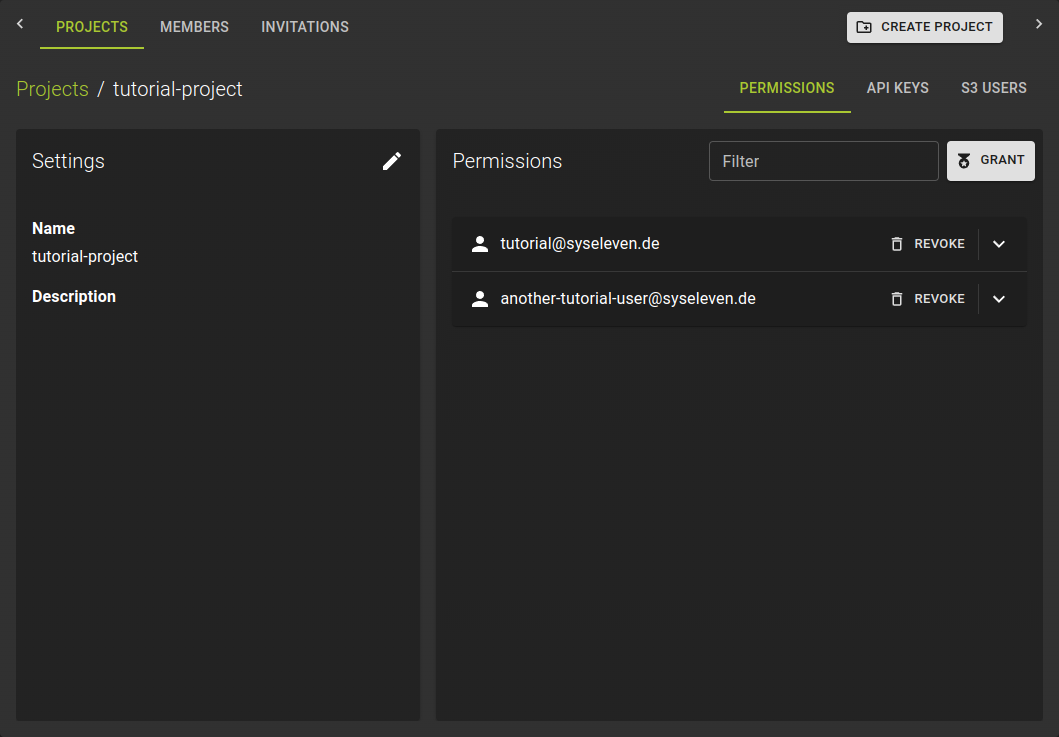 Navigate to the details page of a project and switch to the Permissions tab.
Here you will find the list of all users with access to the project.
You can click on the names of members to show their detailed permissions and also modify them.
To see which projects a member can access
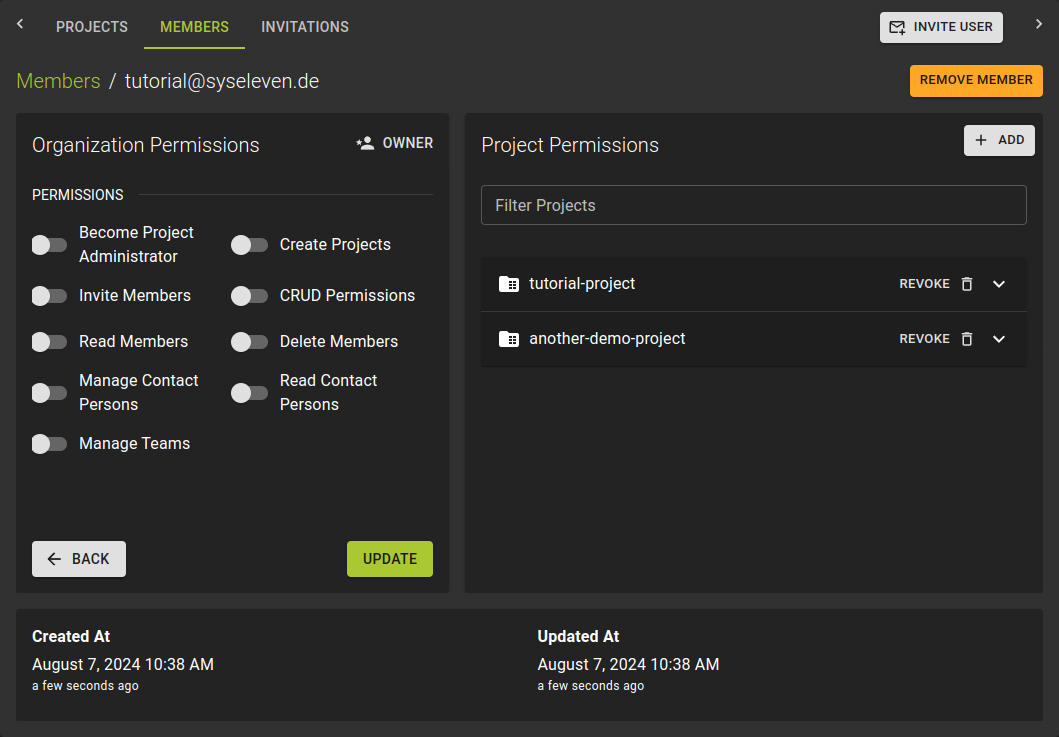 Navigate to the details page of a member.
In the section "Project Permissions" you can now see the list of projects that the member can access.
You can click on the names of projects to show the detailed permissions for the member in that project and also modify them.
Grant Project Permissions
Permission required
- You will need the necessary permissions to perform this operation.
- For details refer to the authorization model
Granting permissions can be performed from the perspective of a project or a member.
- from the details page of a member by clicking Add in the projects list.
- from the details page of a project in the Permissions tab by clicking the grant button.
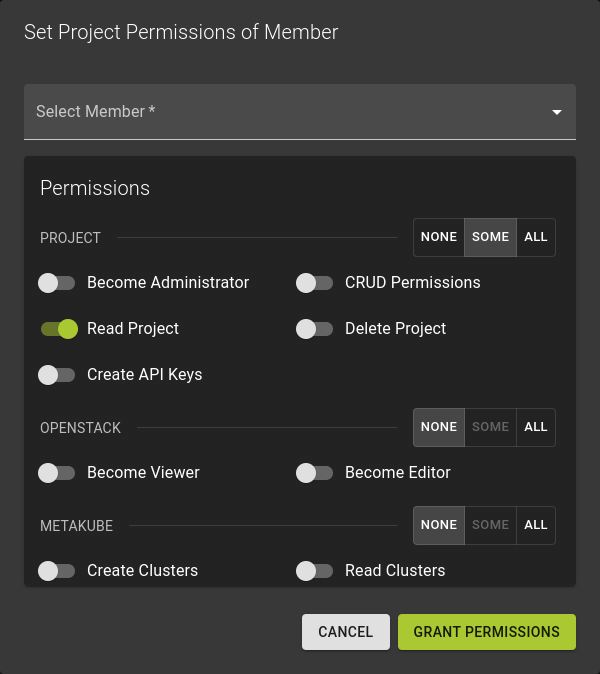
In the emerging dialog:
- Select a member
- Select the set of permissions.
- The permissions are grouped by service.
- In each group you can set all, some or none.
- Confirm the operation by clicking Grant Permissions
Info
Note that some of the permissions have interdependencies.
Please refer to the authorization model for details.
Modify Project Permissions
Permission required
- You will need the necessary permissions to perform this operation.
- For details refer to the authorization model
To modify the permissions of a member in a project
- either navigate to the projects detail page and switch to the Permissions tab
- or navigate to the details page of a member.
Click on the name of the permissions you want to modify
Revoke Project Permissions
Permission required
- You will need the necessary permissions to perform this operation.
- For details refer to the authorization model
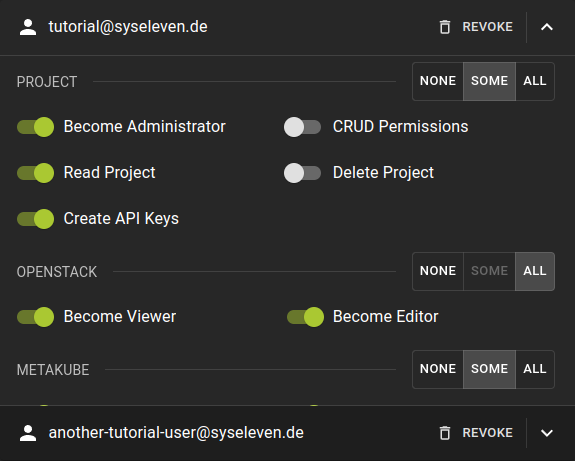 To revoke the permissions of a member in a project:
- Either navigate to the members detail page
- or navigate to the projects detail page and switch to the permissions tab
- In the list of permissions click on the
REVOKEoption in the header of a permission set
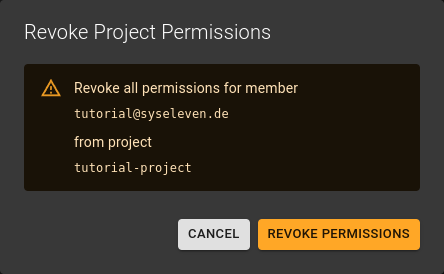
Confirm the operation by clicking the Revoke Permissions button