MetaKube
You can use MetaKube via its HTTP JSON API, or its Terraform Provider. You can view a simple Terraform example.
OpenAPI Specs
Service Account Required
To use the API, please first create a Service Account. Then use the Service Account as a bearer token, s.t. Authorization: Bearer <api-key> in the header of your requests.
Example: Using the HTTP JSON API
Here's an example of how to use the Service Account with a cURL command to access the MetaKube API:
curl -X 'GET' \
  'https://metakube.syseleven.de/api/v2/projects/<project-id>/clusters' \
  -H 'accept: application/json' \
  -H 'authorization: Bearer s11_prak_<uuid>_<secret>'
Replace <project-id> with your actual project ID and s11_prak_<uuid>_<secret> with your generated Service Account credentials and make sure that the Service Account has the necessary permissions to access the resources you need.
Cluster Access — MetaKube
Early Access
You need to enable the MetaKube OIDC support before you can use this feature.
This feature is currently in a pre-release state and is not yet final. It may be updated or changed without prior notice. As it is still being refined, you may encounter occasional inaccuracies or bugs.
Important: In its current state we recommend use for evaluation and testing purposes only and not for production environments. For any questions or to report issues, please contact our support team.
Login to access MetaKube clusters via OIDC. Follow the steps below to configure this.
- Ensure that you have installed the
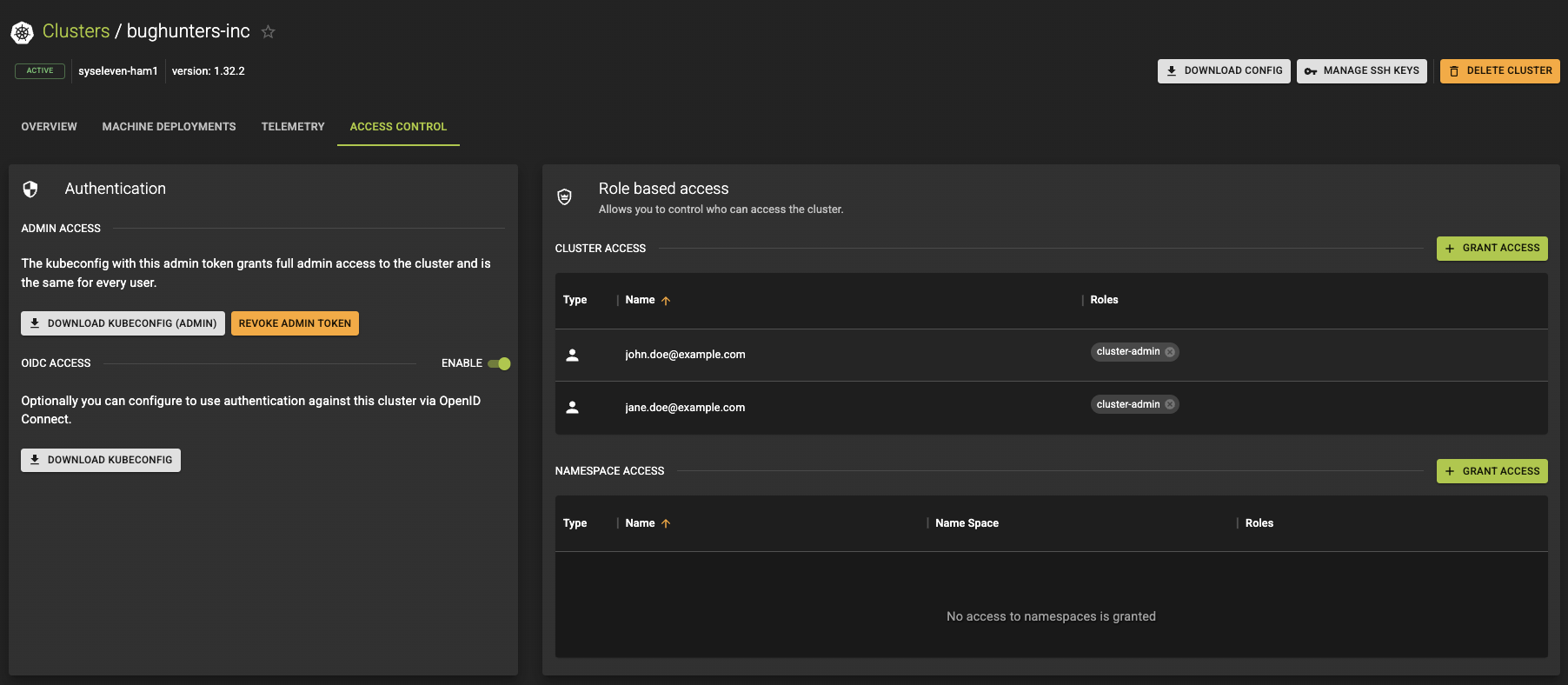
kubeloginplugin forkubectl. - Head to your cluster details page and click on the
Access Controltab. - Click on the ENABLE button.
- Configure user and group roles under
Cluster Access. Specify users by their email address or groups by their teams.
Info
OIDC authentication against MetaKube clusters supports user accounts. IAM teams are shown as Kubernetes groups which can be checked with kubectl auth whoami
Service accounts can also be used in the kubeconfig. However, an automated download mechanism is not yet available, so you must create the kubeconfig manually.
Or download the admin config using the DOWNLOAD KUBECONFIG (ADMIN) button.