Adding you SSH key to access the environment
Overview
MetaKube doesn't need your SSH key to create clusters, but you can automatically add your public key to nodes, to access them for debugging purposes.
Info
We strongly advise against managing packages or configuration on Kubernetes nodes using SSH. Kubernetes nodes should be considered replaceable.
Prerequisites
For this you need to have a public key or be able to create a key pair. If unfamiliar with this topic, please check with your local IT department.
Steps
SSH keys are tied to a project. To add an SSH key, navigate to SSH Keys section of a project and click Add SSH Key. This will open create form for you to fill. Enter a unique name and paste the complete content of the SSH key into the respective field. The public keys can be added to clusters either during cluster creation or afterwards.
New clusters
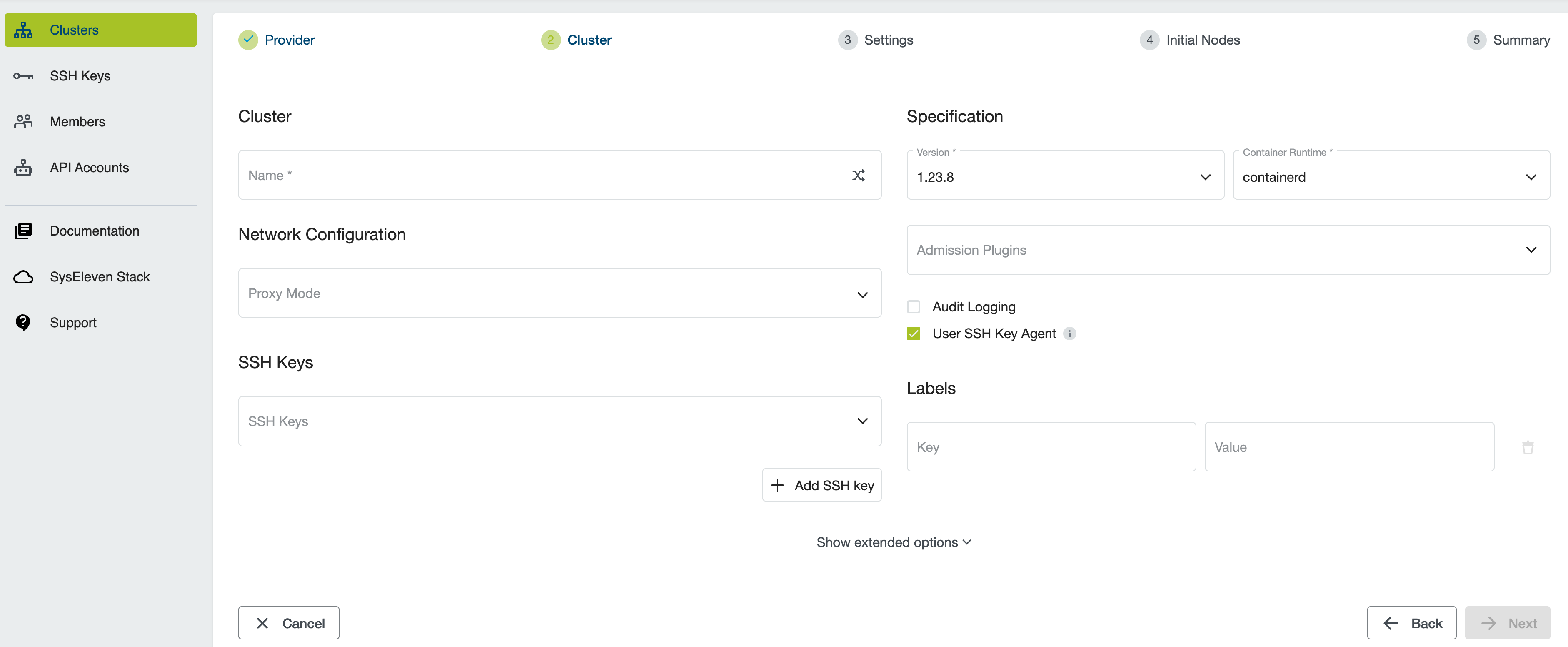
During cluster creation you can choose which SSH keys should be added to nodes.
Existing clusters
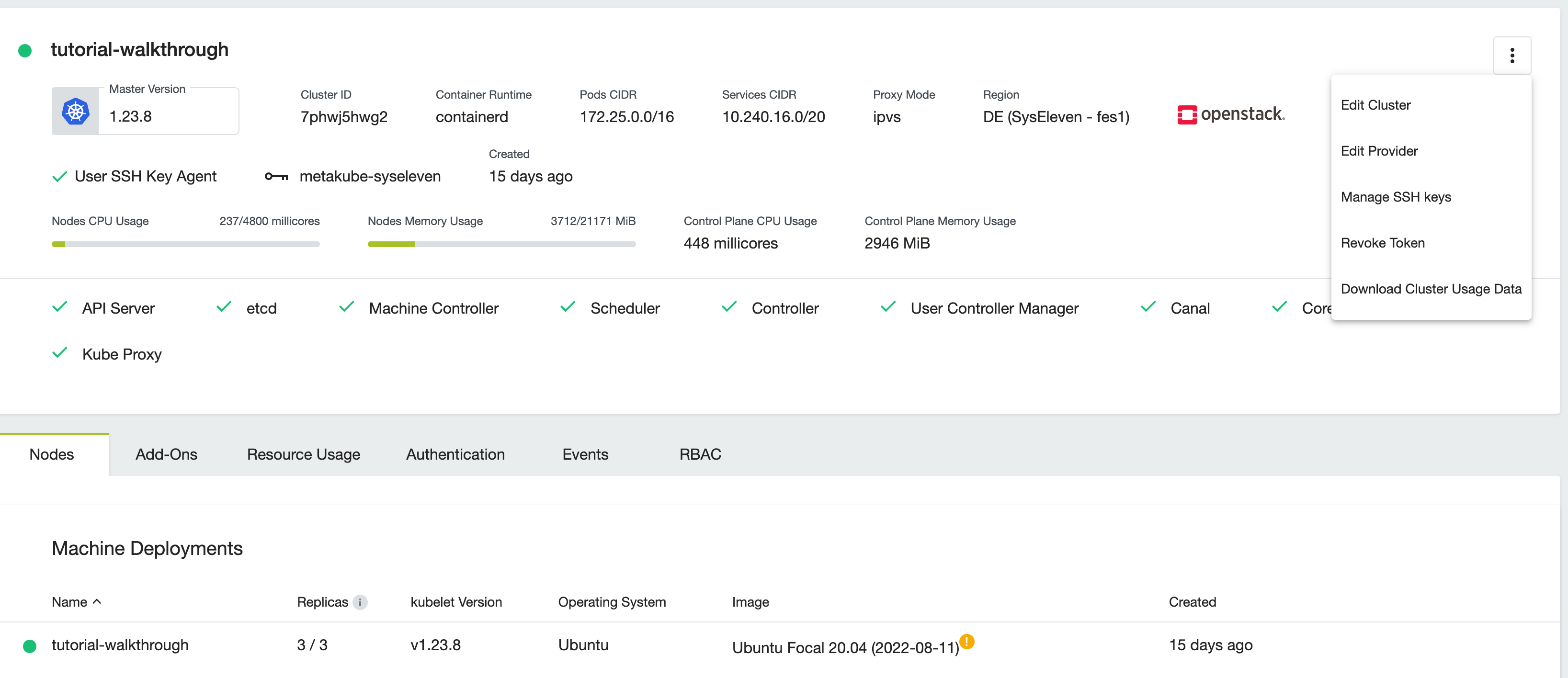
If you enabled User SSH Key Agent during cluster creation you can use UI to dynamically upload SSH Keys. On the cluster details page open the menu at the top right corner and select Manage SSH Keys:
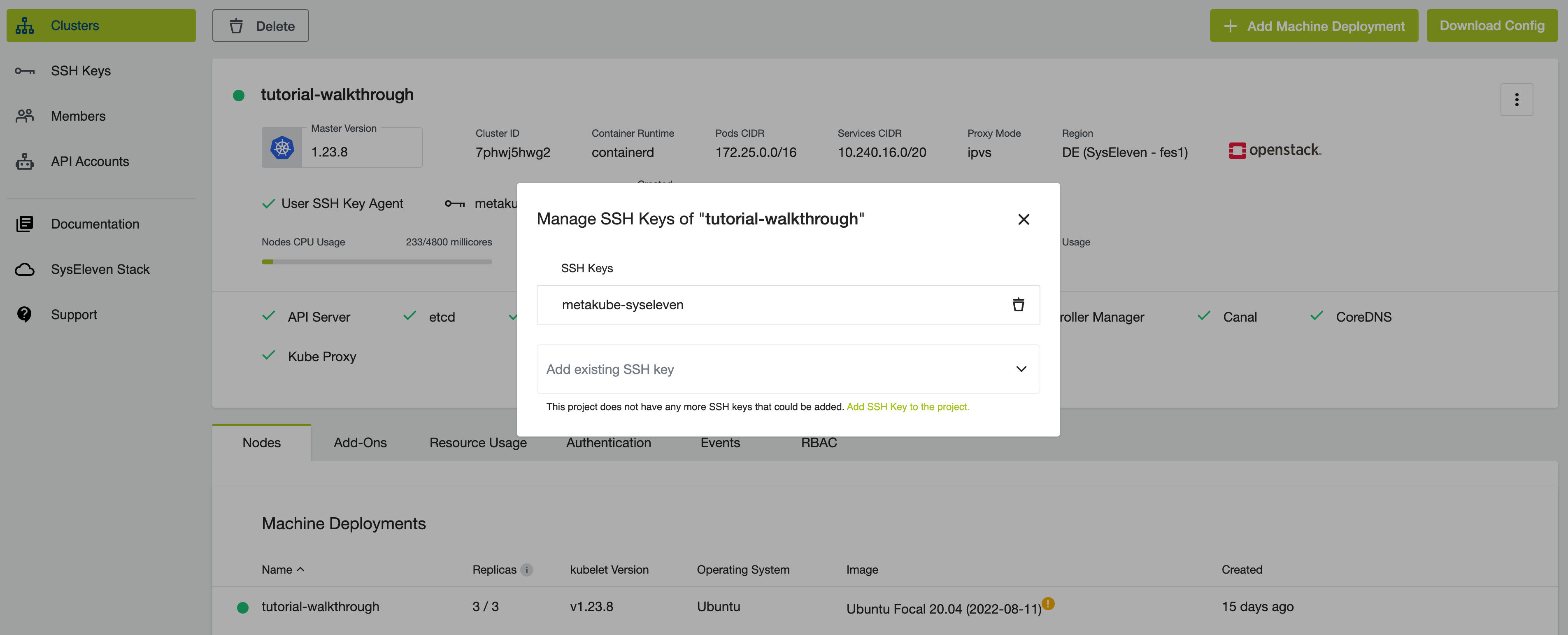
In the popup you can add and remove keys.
Note
The changes are then applied to all existing and future nodes of the cluster.
Clean-up
There is no clean-up for this How-To, because you will need this for all further tutorials. To delete your public key, use the Manage SSH Keys for existing clusters option described above.