Configure API-Access
Goal
- Authenticating to use the OpenStack Cloud API
- Starting a sample stack using the OpenStack Cloud API
Prerequisites
- You need to have the login data for the OpenStack Cloud API (username and passphrase).
- The OpenStack CLI-Tools called in an up-to-date version.
- Knowledge how to use a terminal/SSH and SSH-keys
Accessing the OpenStack Cloud API
To work with the OpenStack Cloud API you need to set environment variables used by the command-line tools to authenticate and authorize your API calls. Users logged into the Horizon Dashboard can download a file that helps setting these variables under API Access. There you can click on Download OpenStack RC File → OpenStack RC File to download the corresponding file.
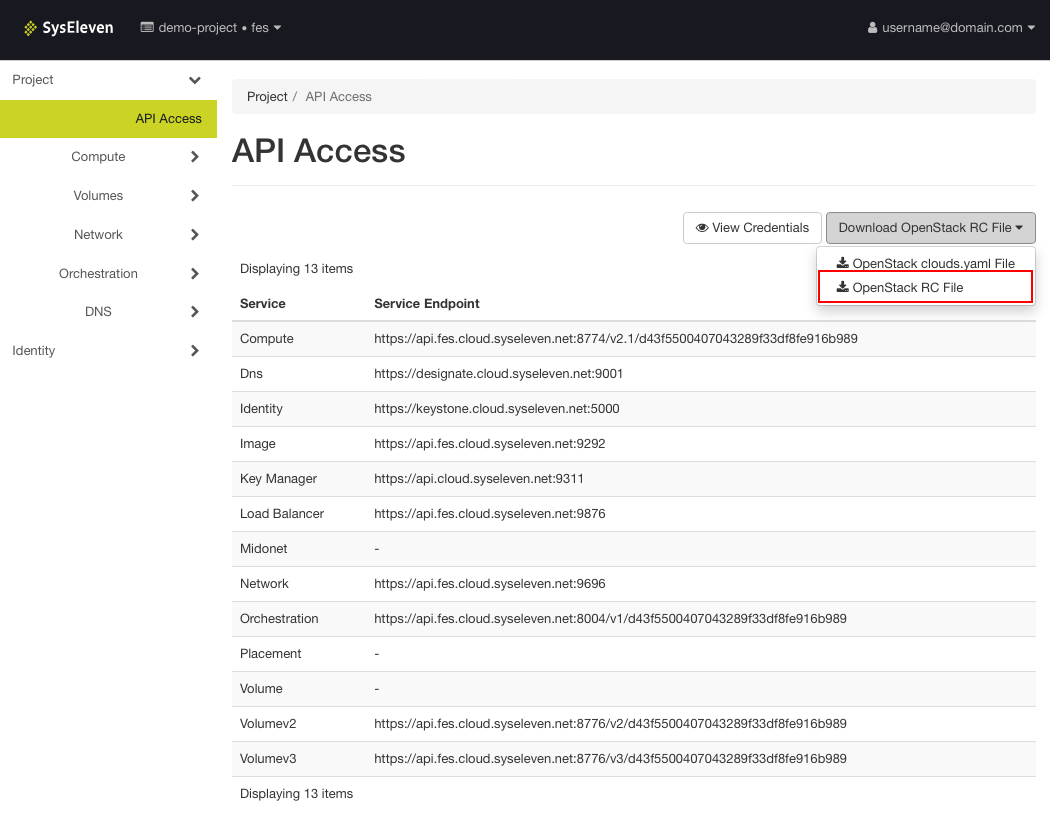
Setting up the environment variables
To provide the clients with the parameters for authentication and authorization use (Username/Password/Project-Scope) for the corresponding session we have to source the downloaded file and type our OpenStack password:

Sourcing this file to set up environment variables does not return output.
Test API Access
We can now use the OpenStack command line client to check whether our access works:
syseleven:~ syseleven$ openstack network list
+--------------------------------------+---------+--------------------------------------+
| ID                                   | Name    | Subnets                              |
+--------------------------------------+---------+--------------------------------------+
| caf8de33-1059-4473-a2c1-2a62d12294fa | ext-net | 51a64106-3eb2-4172-9343-404a9f6b9993 |
+--------------------------------------+---------+--------------------------------------+
In this example you see a network pool which provides us with Floating IP addresses. This shows that you successfully used the OpenStack Cloud API.
Using infrastructure templates
Now you can use the OpenStack command-line tools to control all the infrastructure components of the OpenStack Cloud (that is, networks, security groups, virtual machines). To automate this, you can use Heat templates which are a structured representation of your setups. We provide examples that work with the OpenStack Cloud on GitHub. Feel free to check them out!
Example setups can be copied as follows:
Now you can take the LAMP-Setup from our single LAMP Server example and start it using the API this time: