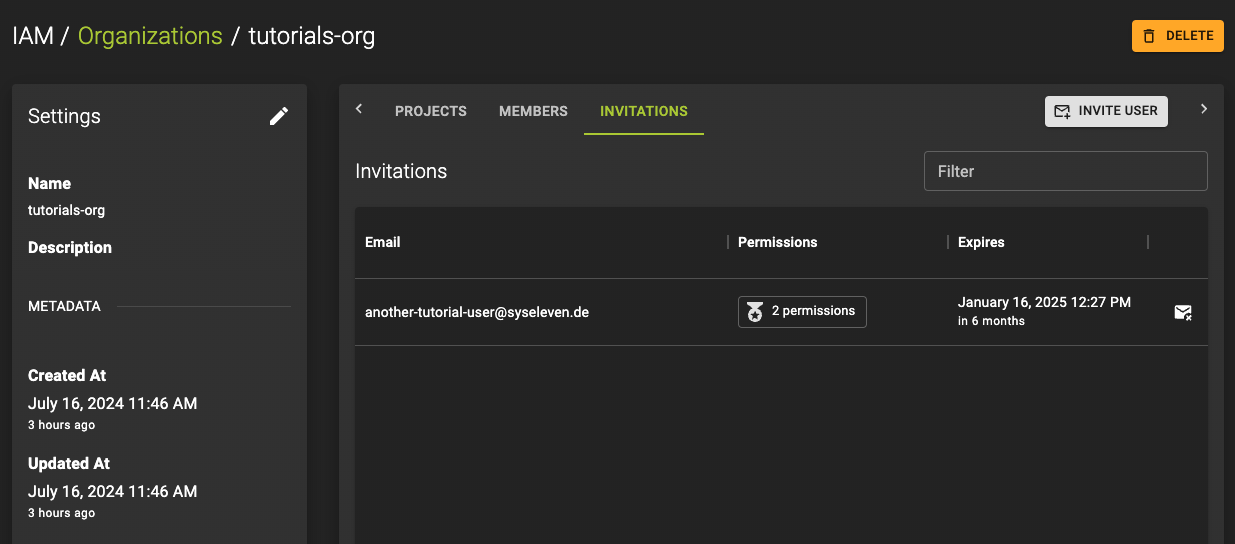
Invitations
Prerequisites
You want to invite a user to join an organization, and you have the necessary permissions.
Or, you received an invitation to join an organization.
Accept an invitation
If you received an invitation to join an organization, follow these steps to accept or decline it.
Permissions
The inviter granted you specific permissions within the organization. Depending on those permissions, you may manage resources, invite other users, or perform other actions within the organization.
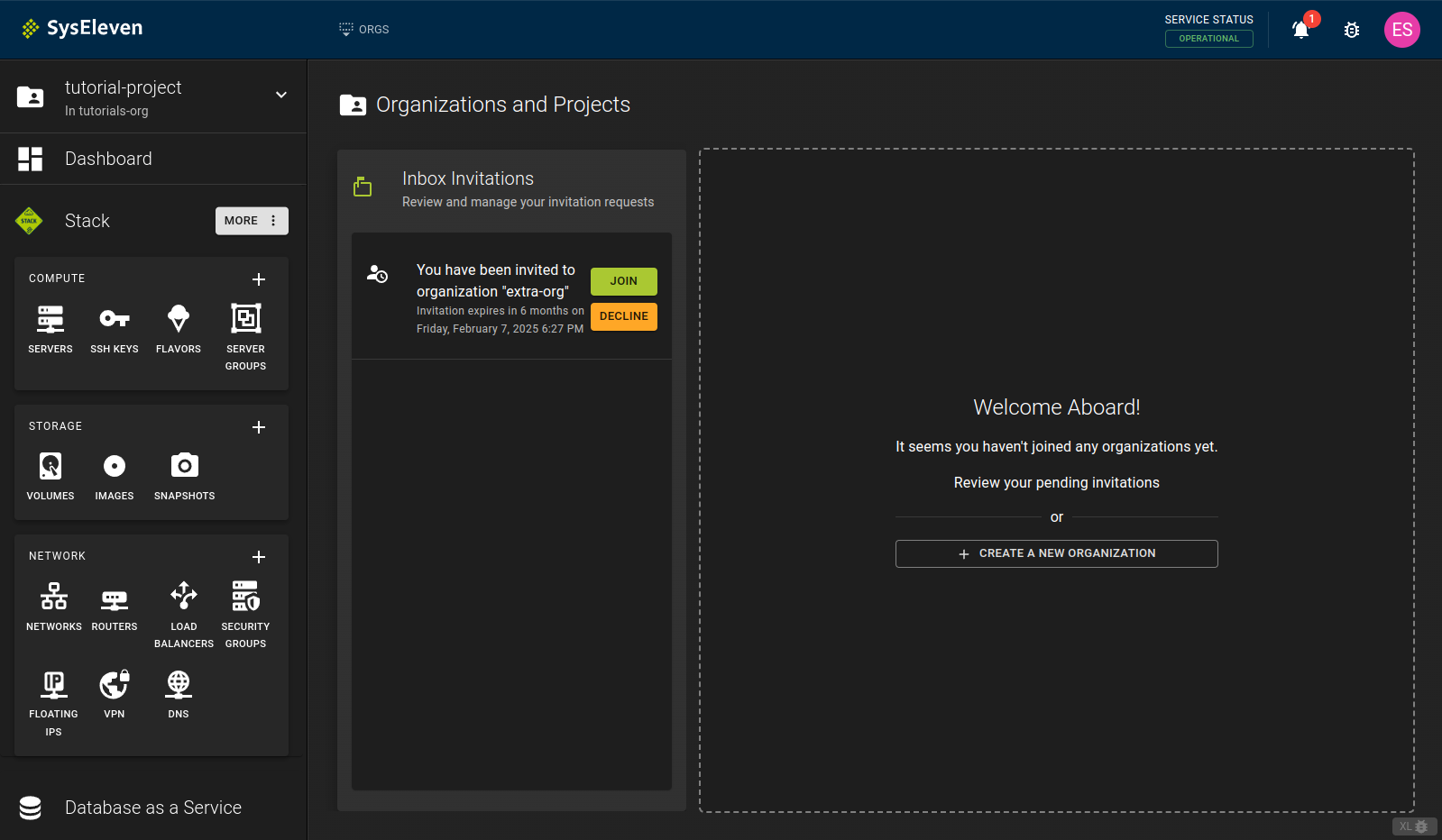
- Head to the Dashboard
- You will be prompted to accept or decline the invitation. Click the appropriate button to accept or decline the invitation.\
- You have now joined the organization, which now appears in your list\
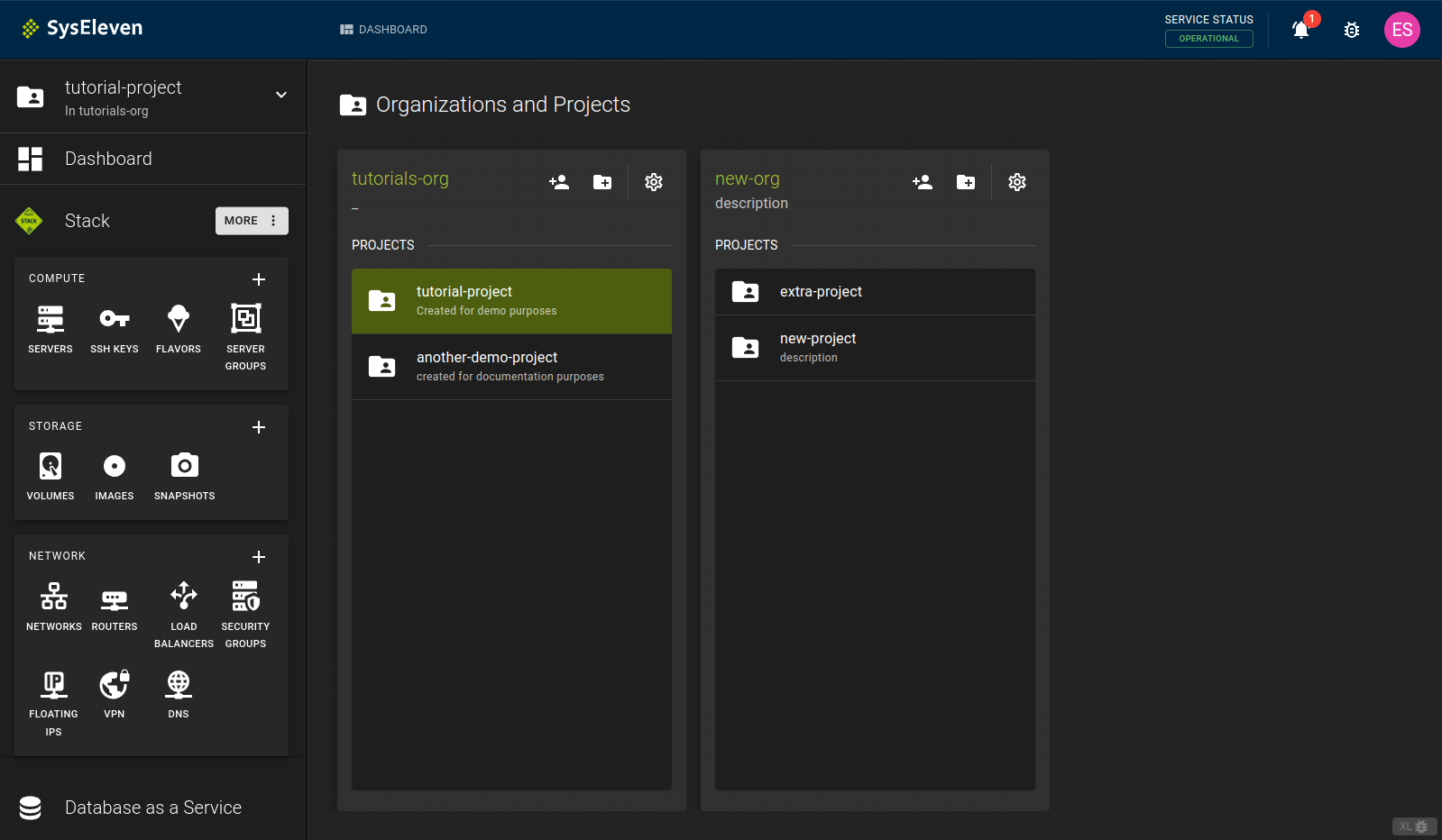
Info
After joining an organization, you may not see any projects within it. This happens for two reasons:
- The organization has not created any projects yet
- The organization invited you but has not granted you permissions on any projects
I do not see an invitation
If you are already part of an organization and are not prompted to join another one, click the notification bell in the top right corner to view open invitations.
Invite a user to an organization
Prerequisites
You must have the necessary permissions to invite users to an organization.
- Browse to the target organization. Click on the organization to open the details page and click the
Memberstab.
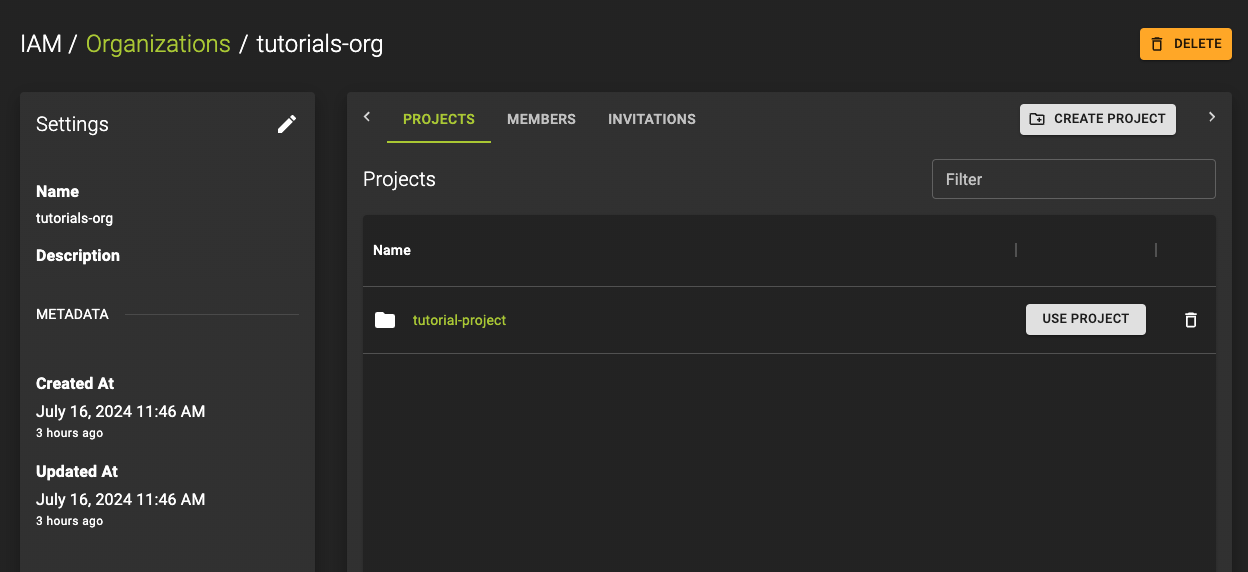
- Click the
Invite Memberbutton. Enter the email address of the user you want to invite and assign permissions. See the Permission Model for more information.
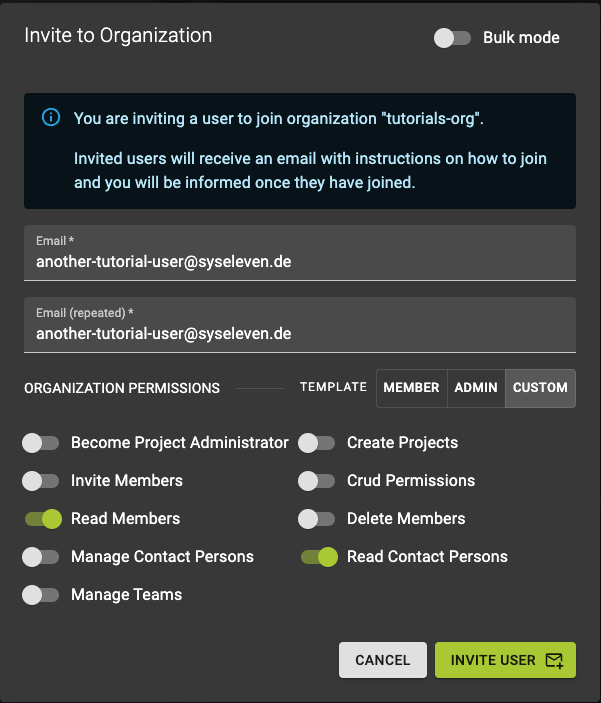
- Click the
Invitebutton to send out the invitation.