API Keys
Deprecation Notice
We are evaluating a Service Account design that replaces API Keys with Service Accounts. Existing API keys will continue to work, but we will remove the ability to create new API keys in the future. Head to the Service Accounts section for more information.
API Keys let you programmatically interact with the Cloud. You can use API Keys to manage all project resources.
Permissions
To view, create, or delete API Keys, you need the API Key Creation Permission. See the Authorization Model for an in-depth explanation of permissions. You can assign fine-grained permissions to API Keys at creation time.
Ownership and Access Control
API Keys belong to a project. Users with the API Key Creation Permission can create them, and view them once during creation.
View API Keys
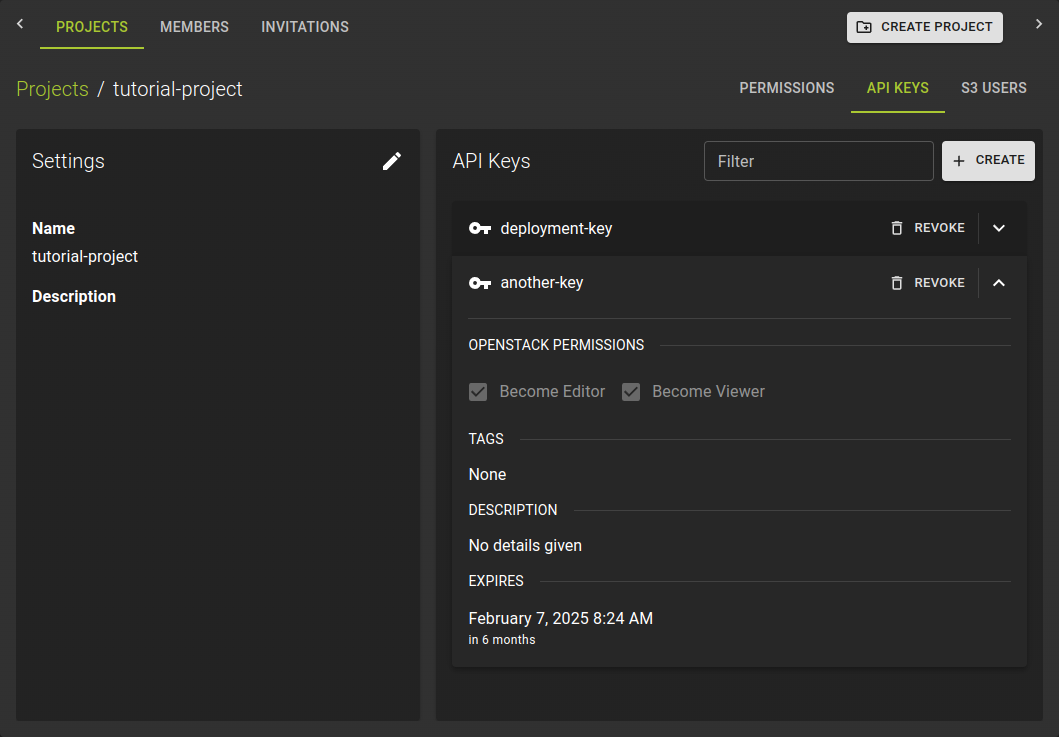 To view existing API Keys, head to the API Keys tab of your project settings. You can view the name, permissions, tags, description and expiry date of all API Keys here.
Create an API Key
Browse to the project where you want to create the API Key. Click on the project to open the project details and switch to the API Keys tab.
Click the Create button.
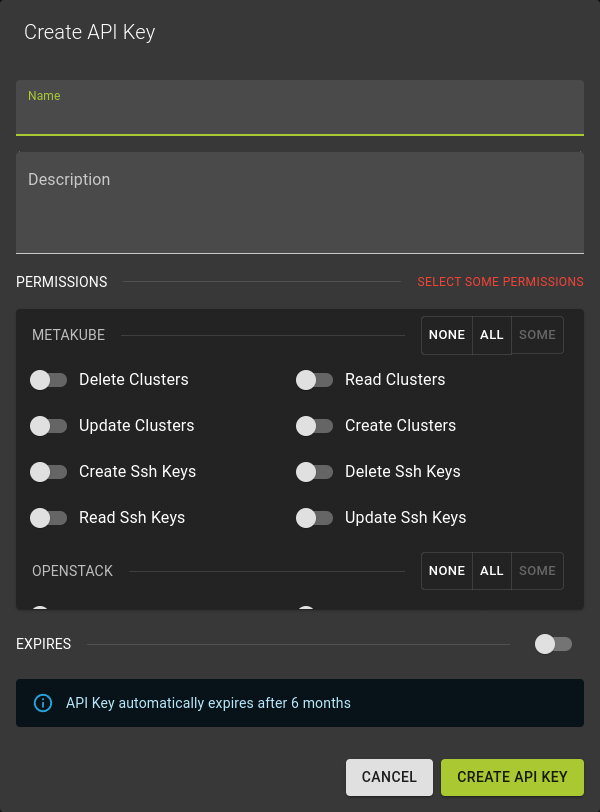 Enter a name for the API Key and assign permissions to the API Key. See the Authorization Model for more information on permissions.
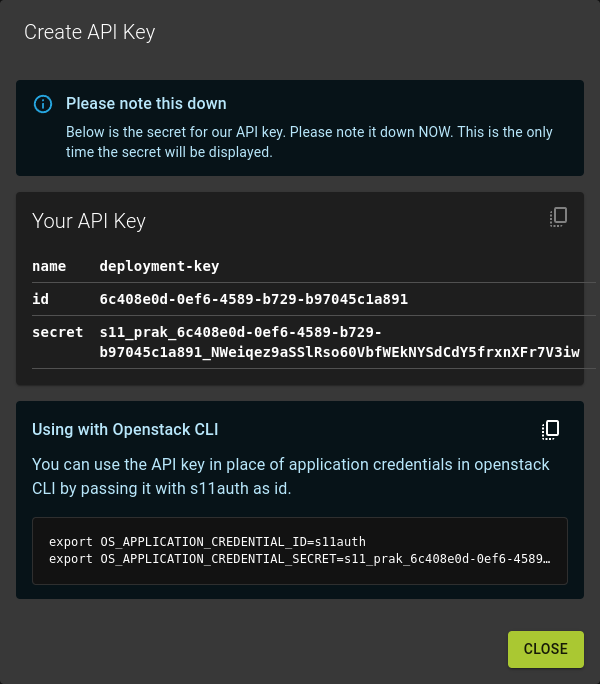 Click the
 Create button to create the API Key.
Copy the secret key and store it in a secure location. You will not be able to retrieve the secret key again.
View Once Secrets
You cannot view the secret key of an API Key after creation. Make sure to copy the secret key and store it in a secure location.
The API Key is created and displayed in the overview.
You can now use the API Key to interact with the Cloud programmatically. For usage with different APIs, refer to the APIs and Regions.
Revoke an API Key
Browse to the details page of the project and switch to the API Keys tab.
In the list of API keys
- Locate the API key you want to revoke
- Click the
REVOKEbutton in the entry header
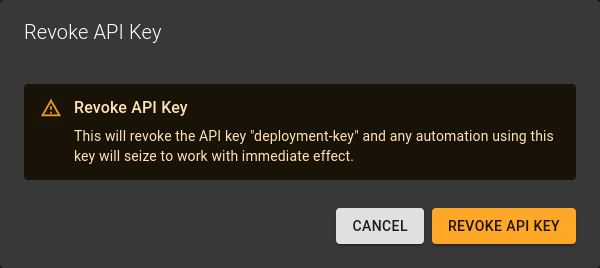 Confirm the operation by clicking Revoke API Key .
Modify API Key Permissions
We do not support changing permissions for an existing API Key. To change permissions, create a new API Key with the desired permissions.