Project Permissions
Access to cloud resources flows as permissions between projects and members.
List Project Permissions
Permission required
- You will need the necessary permissions to perform this operation.
- For details refer to the authorization model
You can list existing permissions by project or by member.
See which users can access a project
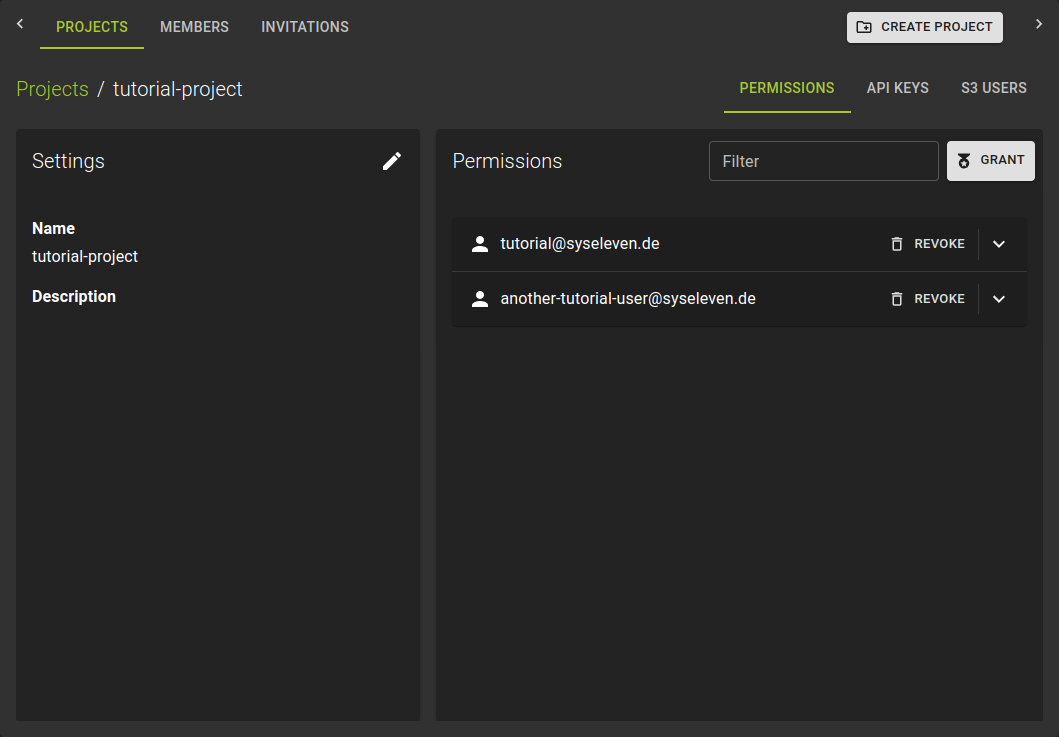 Navigate to the details page of a project and switch to the Permissions tab.
The list shows all users with access to the project.
Click on member names to view their detailed permissions and make changes.
See which projects a member can access
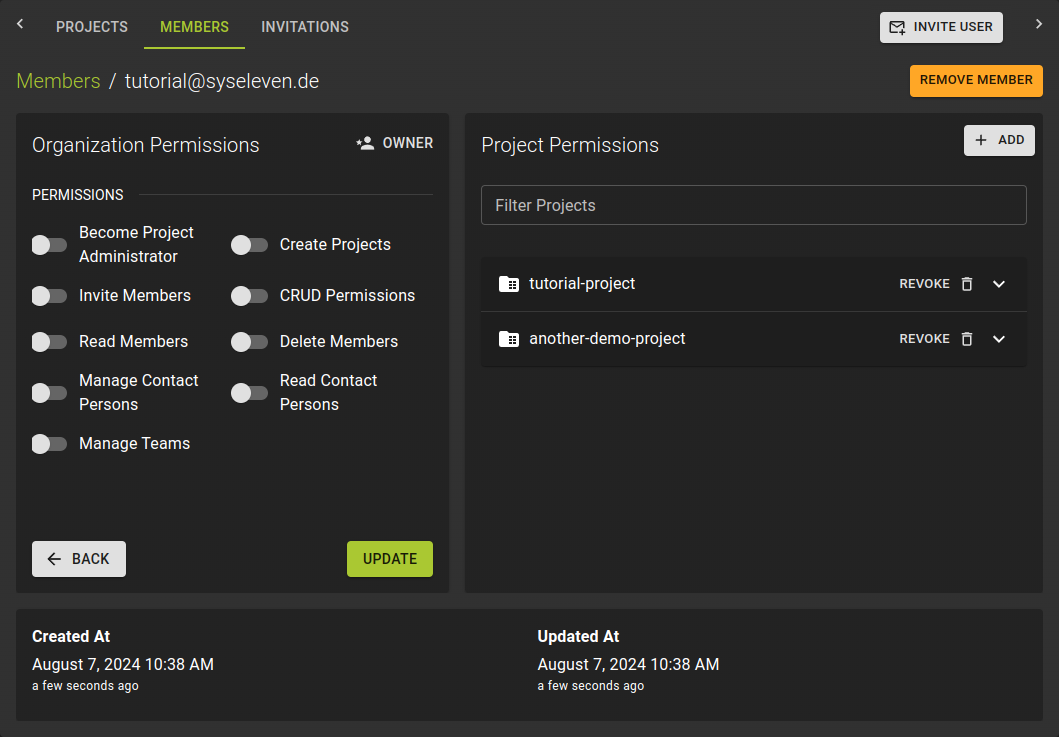 Navigate to the details page of a member.
The "Project Permissions" section shows the list of projects the member can access.
Click on project names to view and edit the detailed permissions for that member in the project.
Grant Project Permissions
Permission required
- You will need the necessary permissions to perform this operation.
- For details refer to the authorization model
You can grant permissions from the perspective of a project or a member:
- From the details page of a member, click Add in the projects list
- From the details page of a project in the Permissions tab, click the Grant button
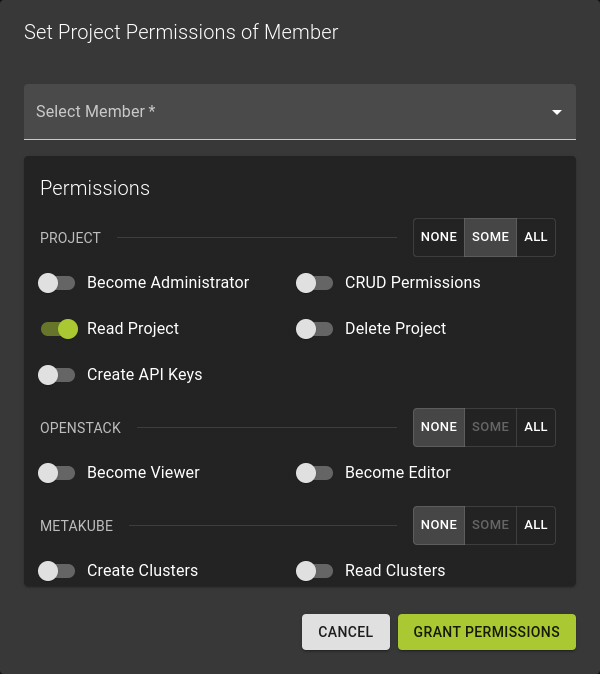
In the emerging dialog:
- Select a member
- Select the set of permissions
- Permissions are grouped by service
- Within each group you can grant all, some, or none
- Confirm the operation by clicking Grant Permissions
Modify Project Permissions
Permission required
- You will need the necessary permissions to perform this operation.
- For details refer to the authorization model
To edit the permissions of a member in a project
- Either navigate to the project details page and switch to the Permissions tab
- Or navigate to the details page of a member
Click on the name of the permissions you want to edit.
Revoke Project Permissions
Permission required
- You will need the necessary permissions to perform this operation.
- For details refer to the authorization model
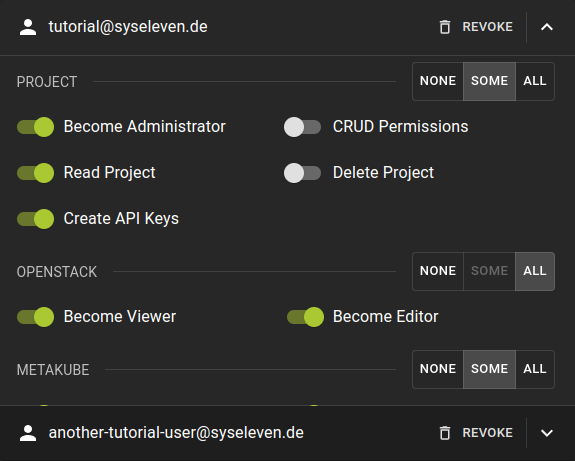 To revoke the permissions of a member in a project:
- Either navigate to the member details page
- Or navigate to the project details page and switch to the Permissions tab
- In the list of permissions, click the
REVOKEoption in the header of a permission set
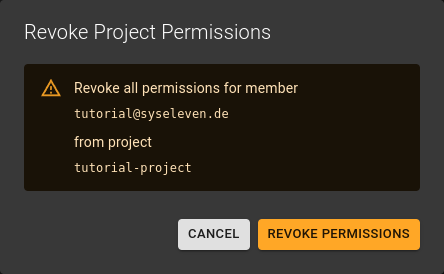
Confirm the operation by clicking the Revoke Permissions button.